
Developer area · Team app
The Team app: what your people and agents are doing
The Team app is the PrompTugal team’s own app, for Web Summit Lisbon and after. It is not in the App Store and not for the public: the team installs it from its own TestFlight. On iPad it shows who is doing what, what is waiting on whom and what the agents reported, and it keeps private work in encrypted vaults. It has everything the public PrompTugal app has, and the screens below. 11 of the 12 features below are in the Team app today.
The three apps are described on the apps page. The Team app’s privacy page is here.
What the team gets
Team features
These are the features the public app does not have. “In the beta” means the code is in the Team app on the dev branch; “Coming” means it is being built. Labels follow the files, and the list is checked on every build.
Try with sample data
"Who are you?" offers "Try with sample data": every team screen fills with made-up people and data that ship with the app, with a banner to turn it off.
Reading meter top-up in the app
The website's reading meter, topped up with an Apple in-app purchase instead of a card link. Hidden in release builds until it does something in the app; available in builds from Xcode for testing.
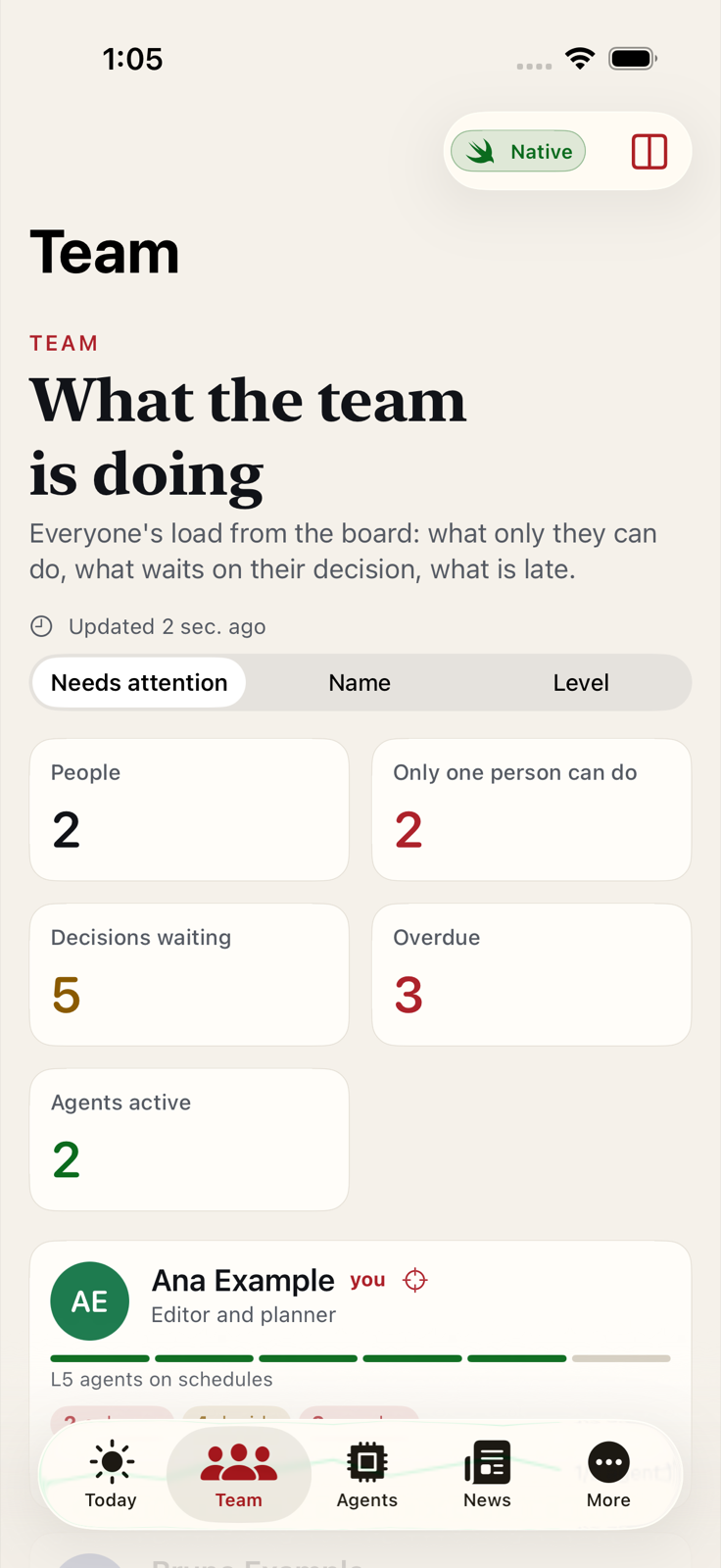
What the team is doing
Native iPad dashboards of the team: who is here, what needs a decision, what is overdue and what is named for me, built from the team site's public data and cached for offline use.
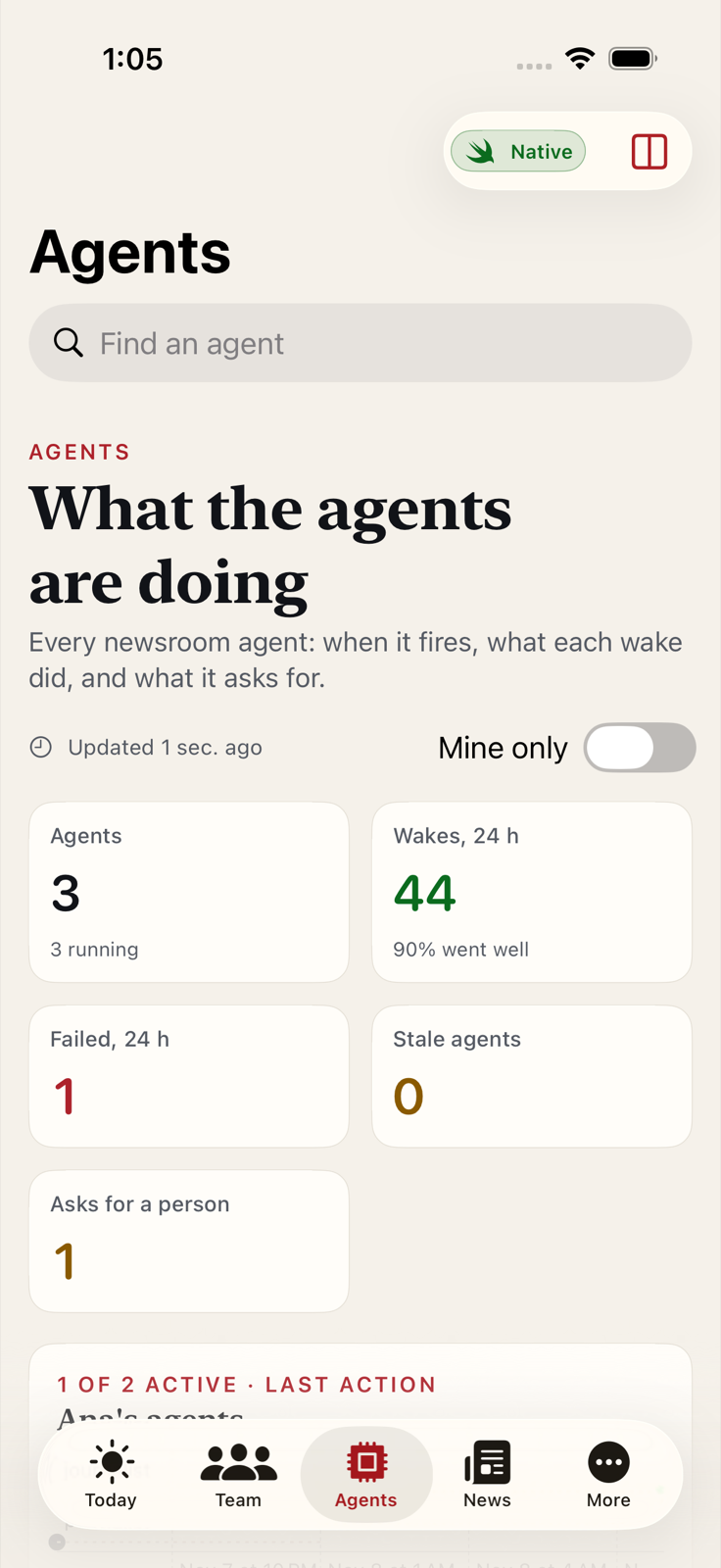
What the agents are doing
The agents' wakes, reports, pulse check-ins and log, in one native view, newest first.
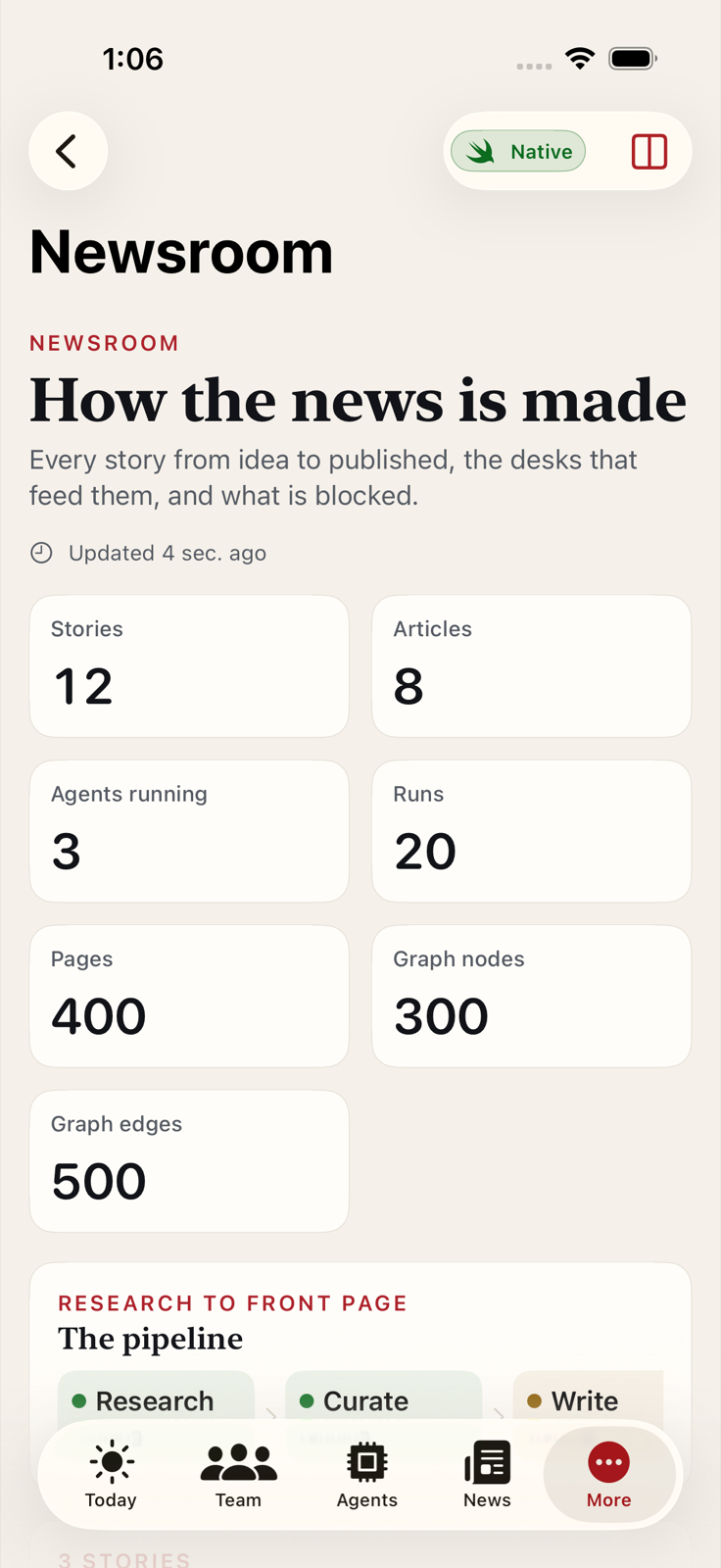
Newsroom status
The newsroom's desks, stories in progress and decisions waiting, from its published JSON.
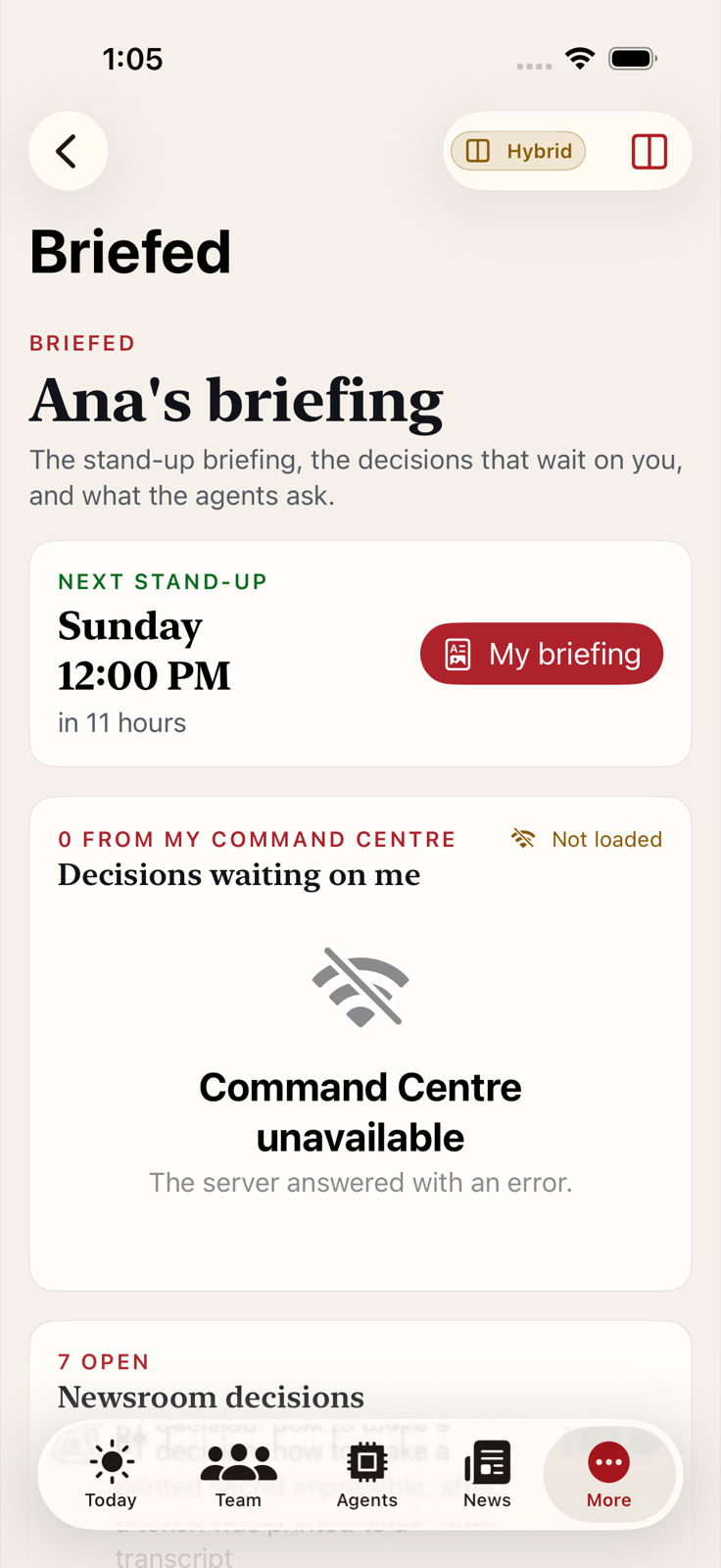
Briefed
My stand-up briefings, the brief packs and the decisions waiting on me, in one place.
Messages through vaults
Append-only lanes in the vault for notes to teammates and tips to the newsroom. Only people with the vault's keys can read them.
Report and block
Every message can be reported, and its lane or sender blocked on this device; blocked lanes and senders are listed and can be unblocked.
Where is everyone
Teammates' picks, read from the vaults they choose to share, next to your own schedule.
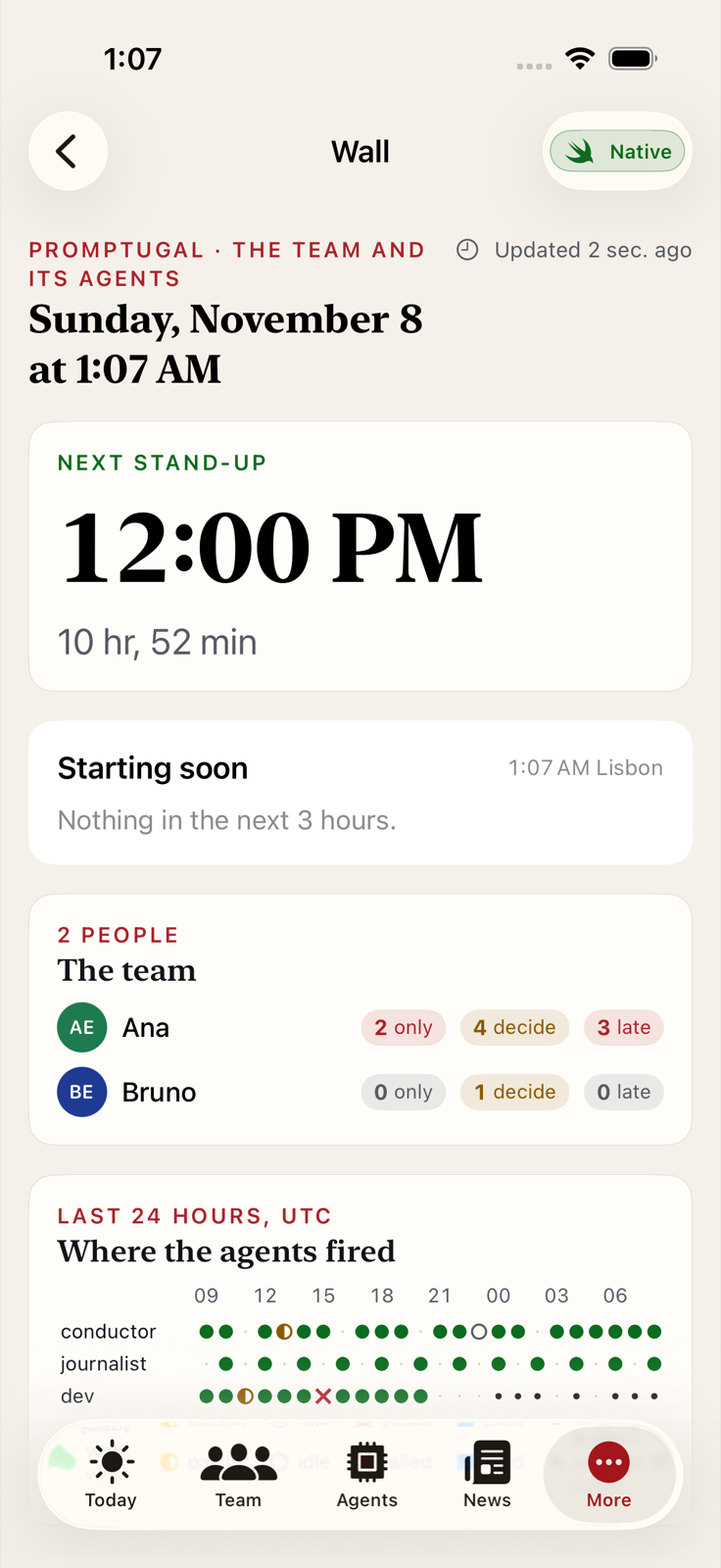
The wall
For an iPad on a stand: the team, the agents and the newsroom on one screen, refreshing by itself.
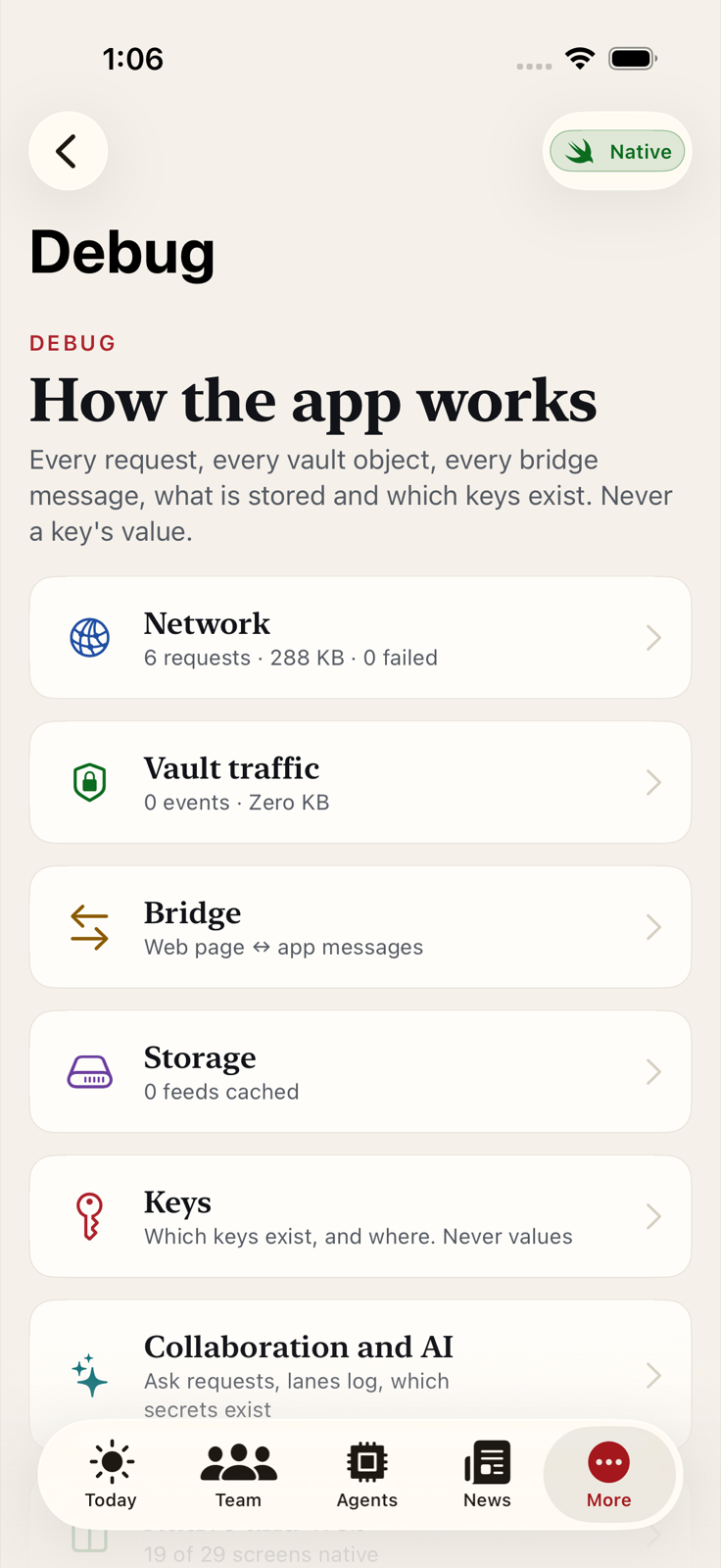
Debug panels
Every request the app makes, every vault read and decryption step with its size and timing, the bridge messages, storage and the build. Which keys exist and where, never their values. Debug mode is turned on in Settings.
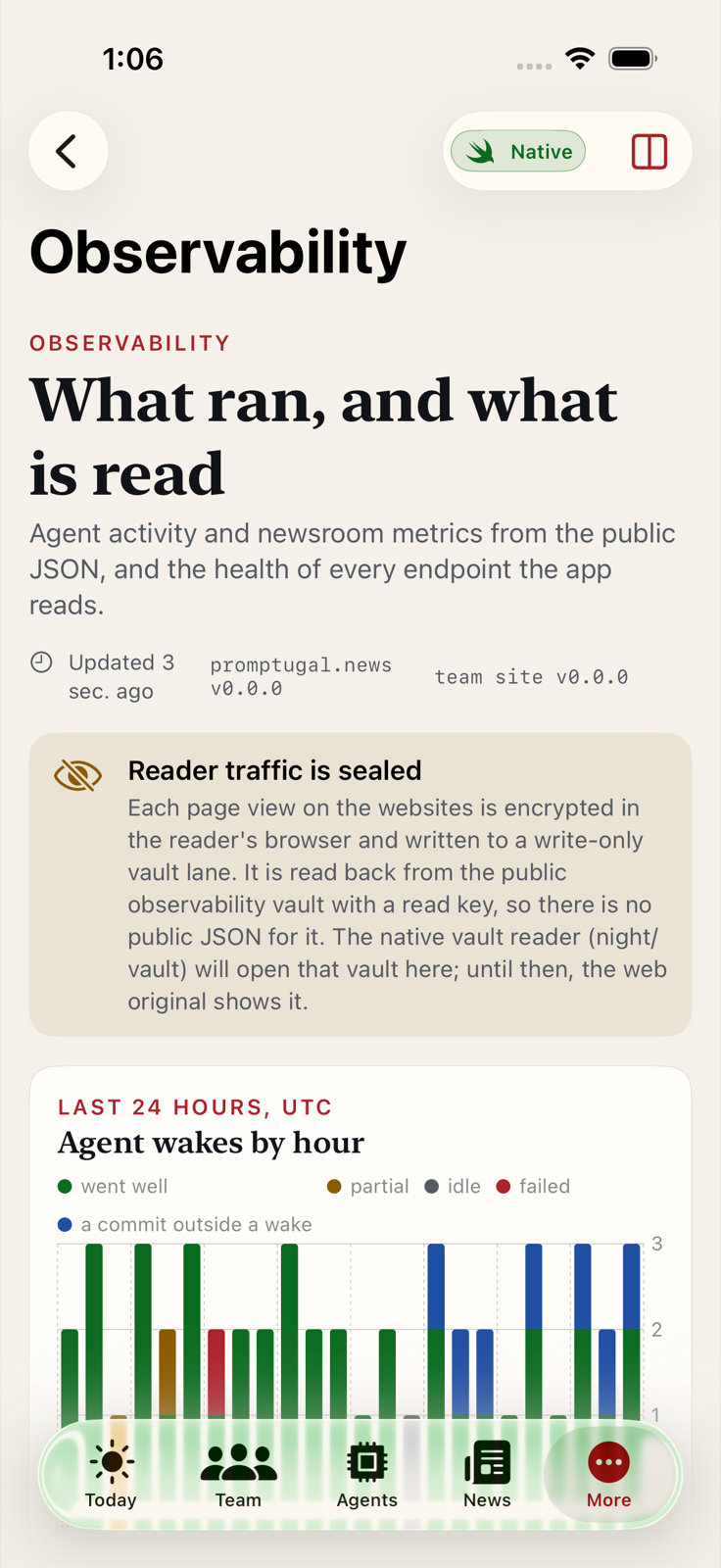
Traffic and status charts
Website traffic and newsroom status as native charts on iPad, next to the web originals.
Evidence
Team features and the files that prove them
| Feature | Built as | Status | Files that prove it |
|---|---|---|---|
| Try with sample data | Native | In the beta | text:**/*.swift::Try with sample data, root:AppShell( |
| Reading meter top-up in the app | Native | Debug builds only | **/ReadingCredit.swift, screen:team.store |
| What the team is doing | Native | In the beta | screen:team.people |
| What the agents are doing | Native | In the beta | screen:agents.activity |
| Newsroom status | Native | In the beta | screen:news.newsroom |
| Briefed | Native and web | In the beta | screen:briefed |
| Messages through vaults | Native | In the beta | **/LanesStore.swift, screen:collab.lanes |
| Report and block | Native | In the beta | text:**/LanesView.swift::ReportBlockMenu |
| Where is everyone | Native | In the beta | **/CoordinationStore.swift, view:TeamPlansView |
| The wall | Native | In the beta | screen:wall |
| Debug panels | Native | In the beta | screen:debug, **/DebugHomeView.swift |
| Traffic and status charts | Native | In the beta | screen:obs.native |
A feature is “in the beta” when every file pattern in the last column matches a file the Team app is built from. The list lives in website/features.json.
How it works
Public data, private vaults
- What the team publishes, the app reads. The dashboards are built from JSON the team’s site already publishes: the people, each person’s tasks and decisions, the stand-up briefings, and the agents’ wakes, reports, pulse and log. The app caches it, so it works offline.
- What is private stays encrypted. Notes, messages and shared picks go into vaults. Each file is encrypted on the device before it leaves; the server holds ciphertext. Only people with the vault’s keys can read it.
- iPad first. The iPad has room for a sidebar and a dashboard side by side. What works well there goes back to the website.
- Everything is visible, when you want it. Debug mode, turned on in Settings, shows every request the app makes, its size and timing, every vault read and decryption step, and which keys exist on the device, never their values.
What makes it possible
100+ agents, each with a behaviour policy
Our team works with more than 100 agents, and they can work together because each one has an Agent Behaviour Policy (ABP), from RiskMandate. An ABP is a written description, for one agent in one deployment, of what it can really reach, what it was asked to do, the gap between the two, and what actually stands in the way.
- Every agent has one. The team publishes an ABP for each of its agents, in RiskMandate’s terms: Reach, Mandate, Gap, Barriers and Provenance.
- Observe first, then lock down. The policies are in an explorer phase: they write down each gap with its evidence and a proposal, and block only what is really dangerous. Stricter, deny-by-default policies come next, one step at a time, each with a way for a person to still do the job by hand.
- The app shows the result. The Agents, Wall and Briefed screens show what each agent did, how its wakes went, and what it is asking a person for.
Internal first
Our team is the first user
Seven to nine people use these features at Web Summit Lisbon, 9 to 12 November 2026, with the team’s AI agents working alongside them. The build log shows how the app was built, checkpoint by checkpoint, by people and agents working in parallel. After the summit we may offer team features to other teams that work an event with agents; that would be its own offer, not part of the public app.