PrompTugal for iOS

Developer area · Overnight push · 02:45–10:20 Lisbon · 7–8 November 2026

The Team app, built overnight

Seven Claude sessions built the native PrompTugal app for iPhone and iPad while the team slept. That app is now the Team app: the next night split it into three apps (the plan). By 10:20 the code was on dev, green in CI on both devices. The app is now 48,231 lines of Swift in 340 files.

383
commits on dev during the night
7
sessions, plus a conductor merging their work
124
unit tests passing on iPhone and on iPad
13
screens photographed on both devices by CI
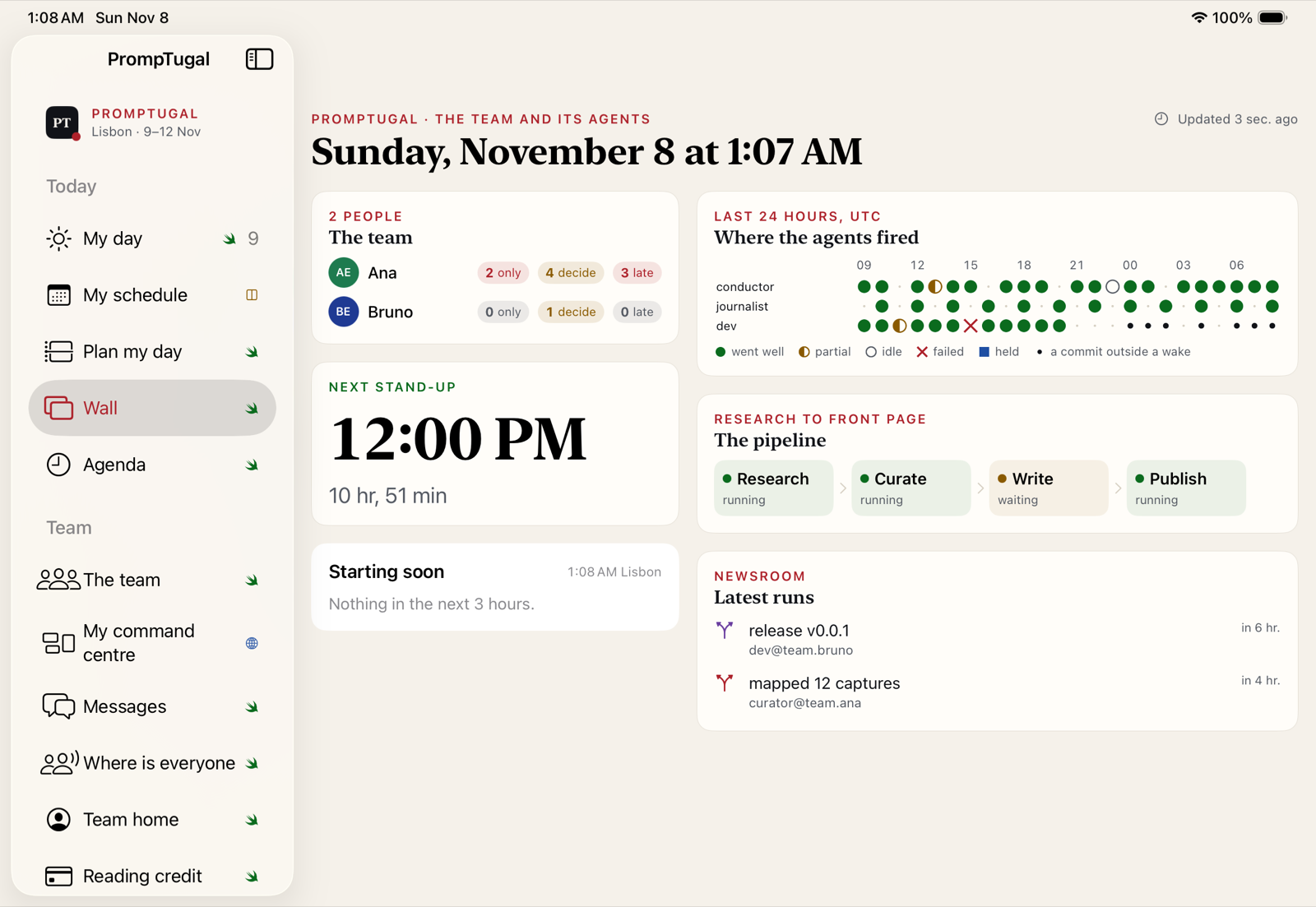
The Wall on iPad, a screenshot of the app
The Wall on iPad, from the latest CI screenshots.

The screenshots on this page are taken automatically by CI in the iOS simulator, from the code on dev, with sample data where a screen needs a signed-in person (“Ana Example”). The agenda, the news, the graph and the Wall’s team list come from the live public feeds. Nothing here has been tested on a physical device yet.

Screen by screen

What was built

Today

My day

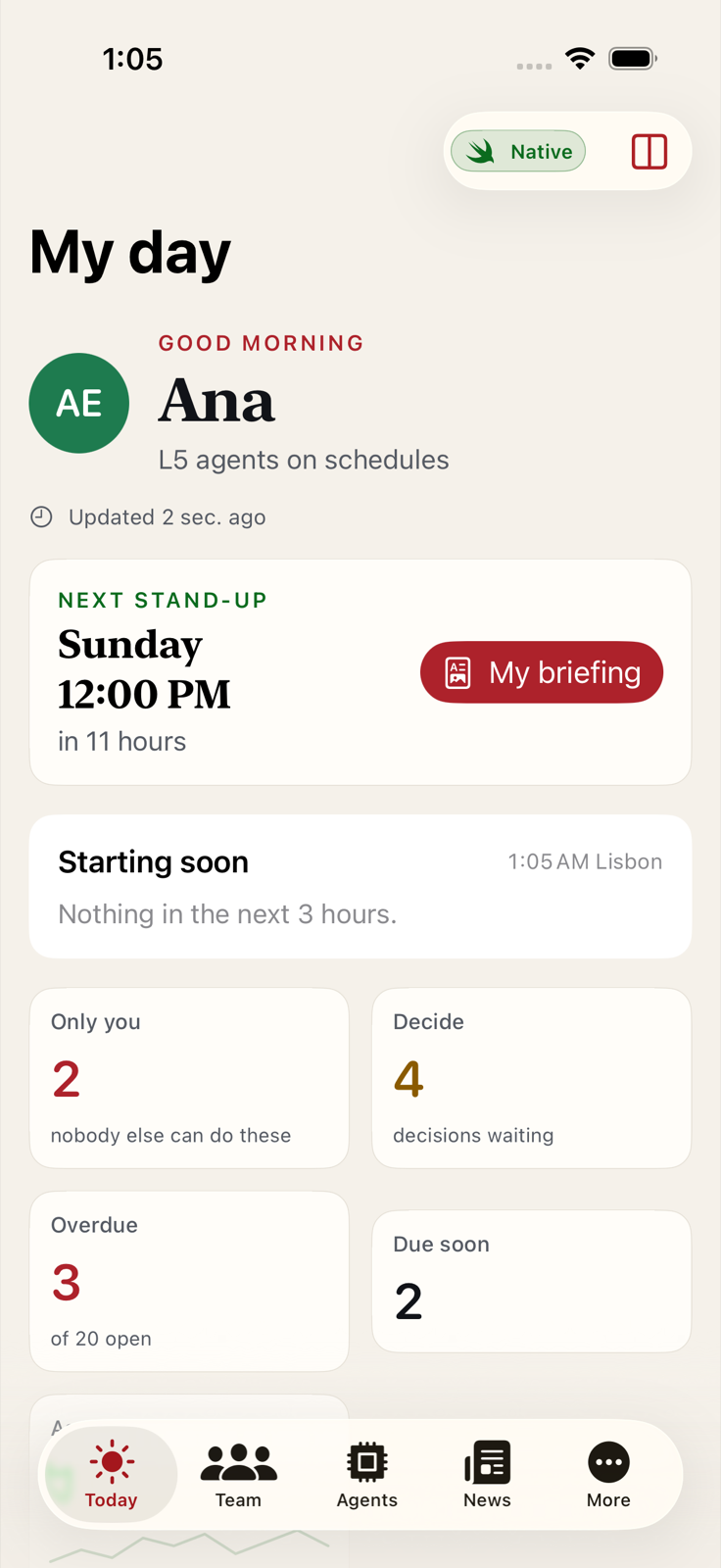
Opens on you: the next stand-up with a link to your briefing, what starts in the next three hours, what only you can do, decisions, overdue and due-soon items, and what your agents did.

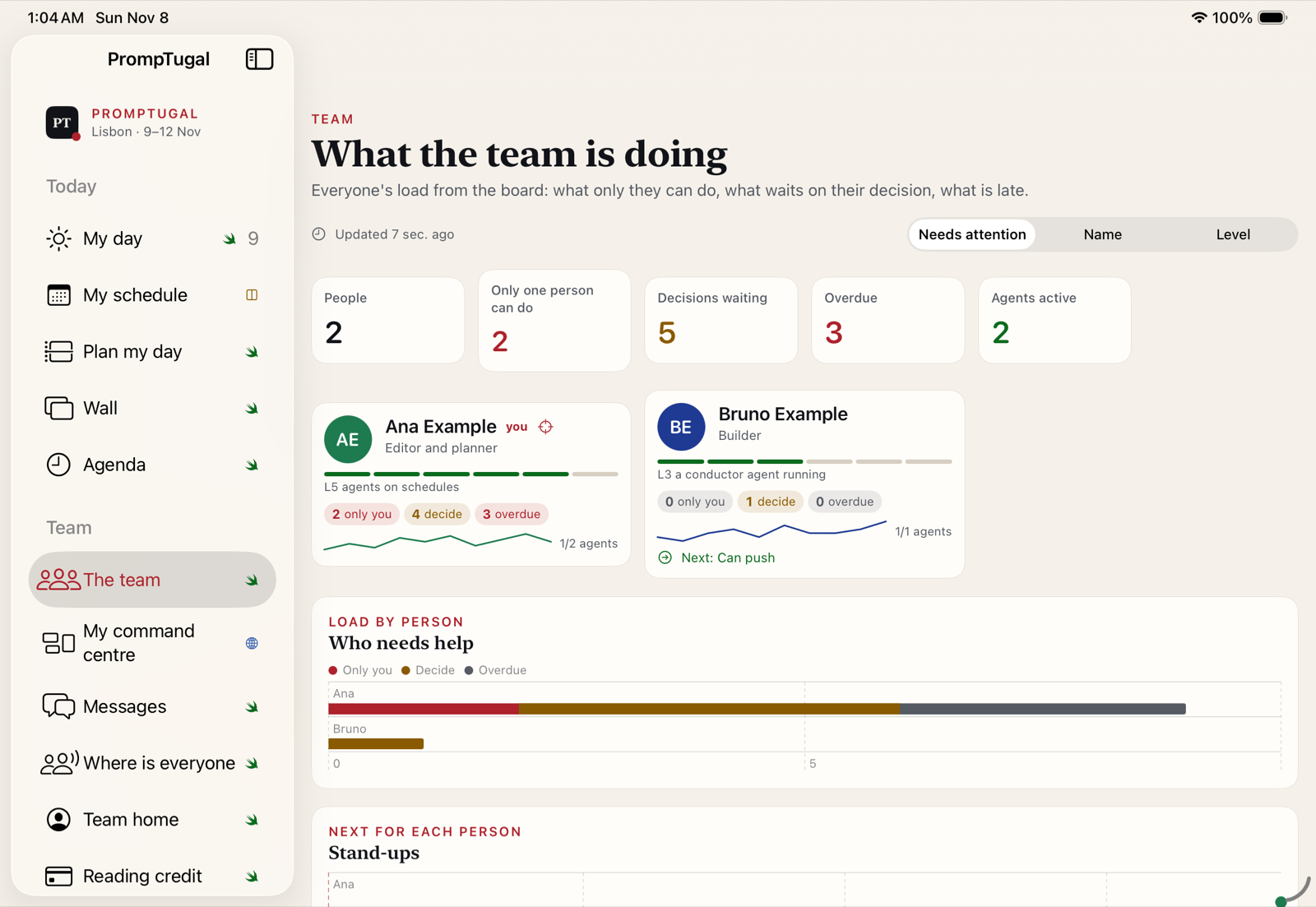
The iPad sidebar has ten sections. The iPhone has four tabs and More.
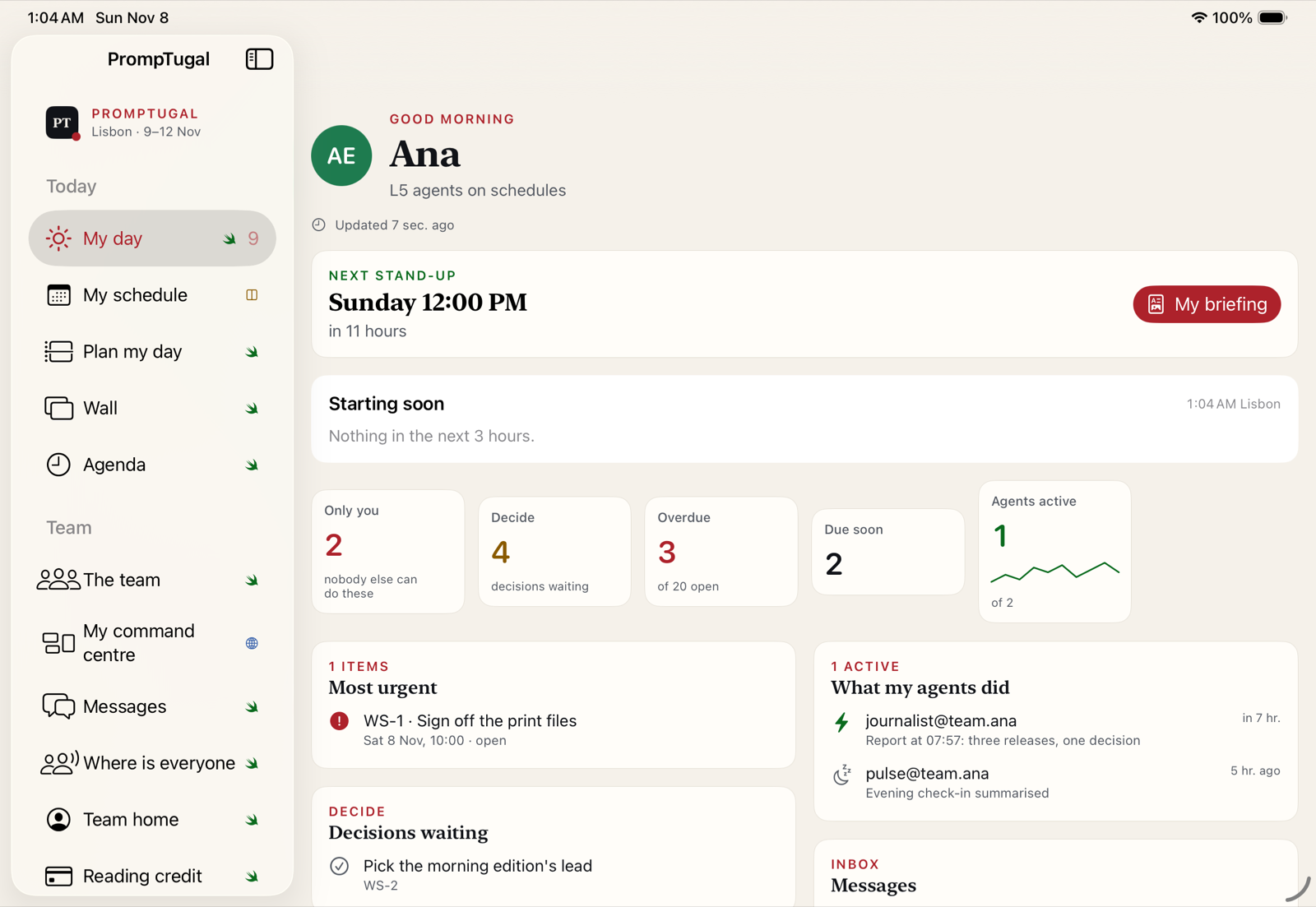
My day on iPad, a screenshot of the app
iPad
My day on iPhone, a screenshot of the app
iPhone

Team

The team

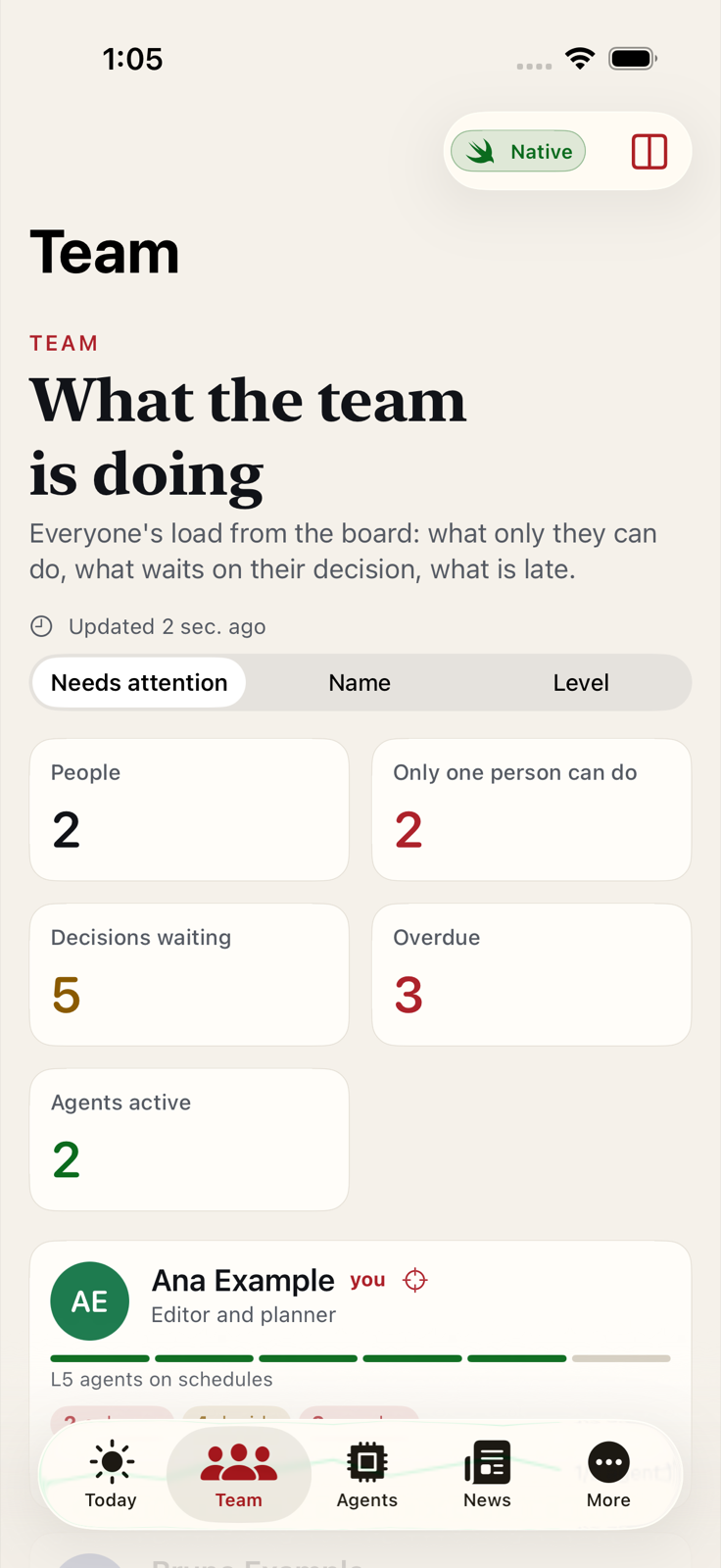
Everyone's load from the board: what only they can do, what waits on their decision, what is late, and who needs help. Sort by attention, name or level, and see each person's next stand-up.

The team on iPad, a screenshot of the app
iPad
The team on iPhone, a screenshot of the app
iPhone

Agents

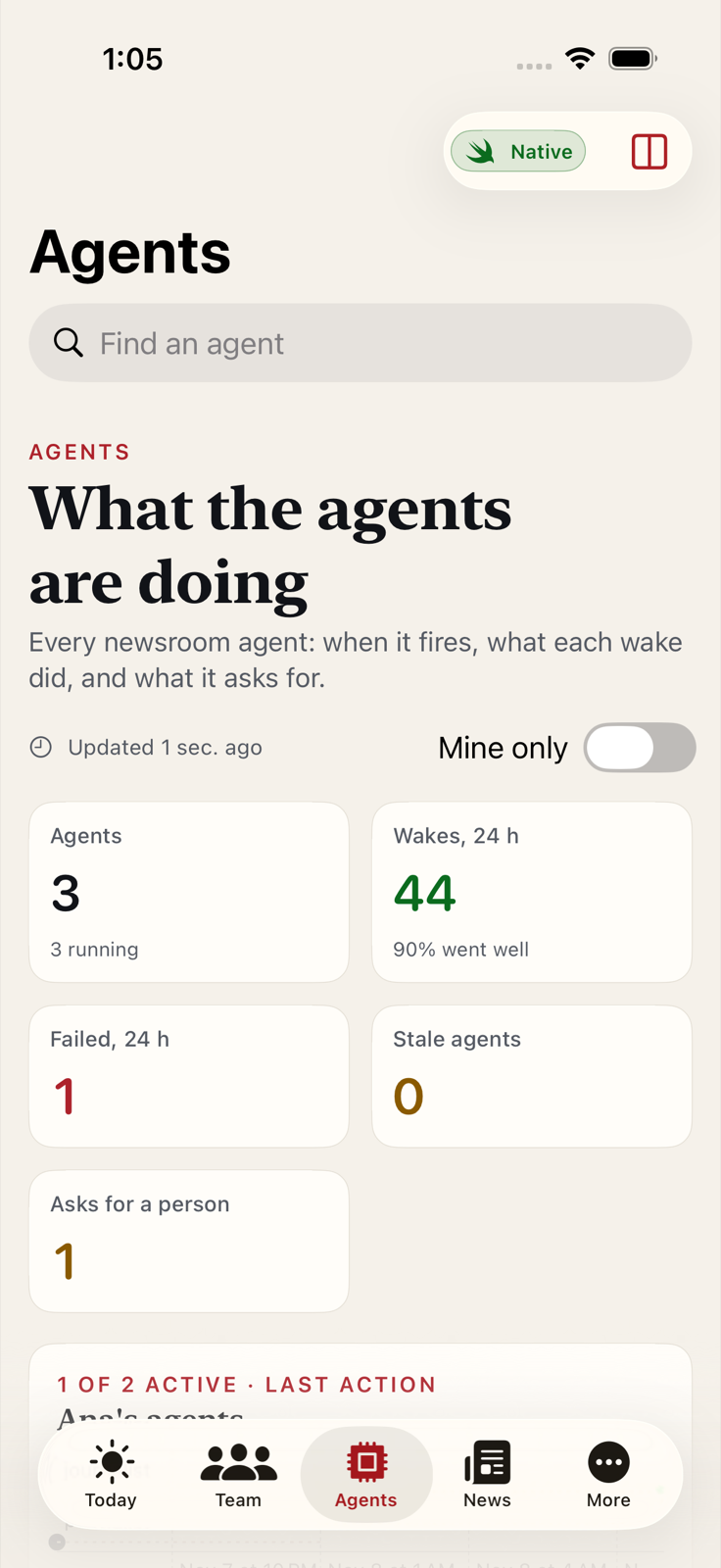
What the agents are doing

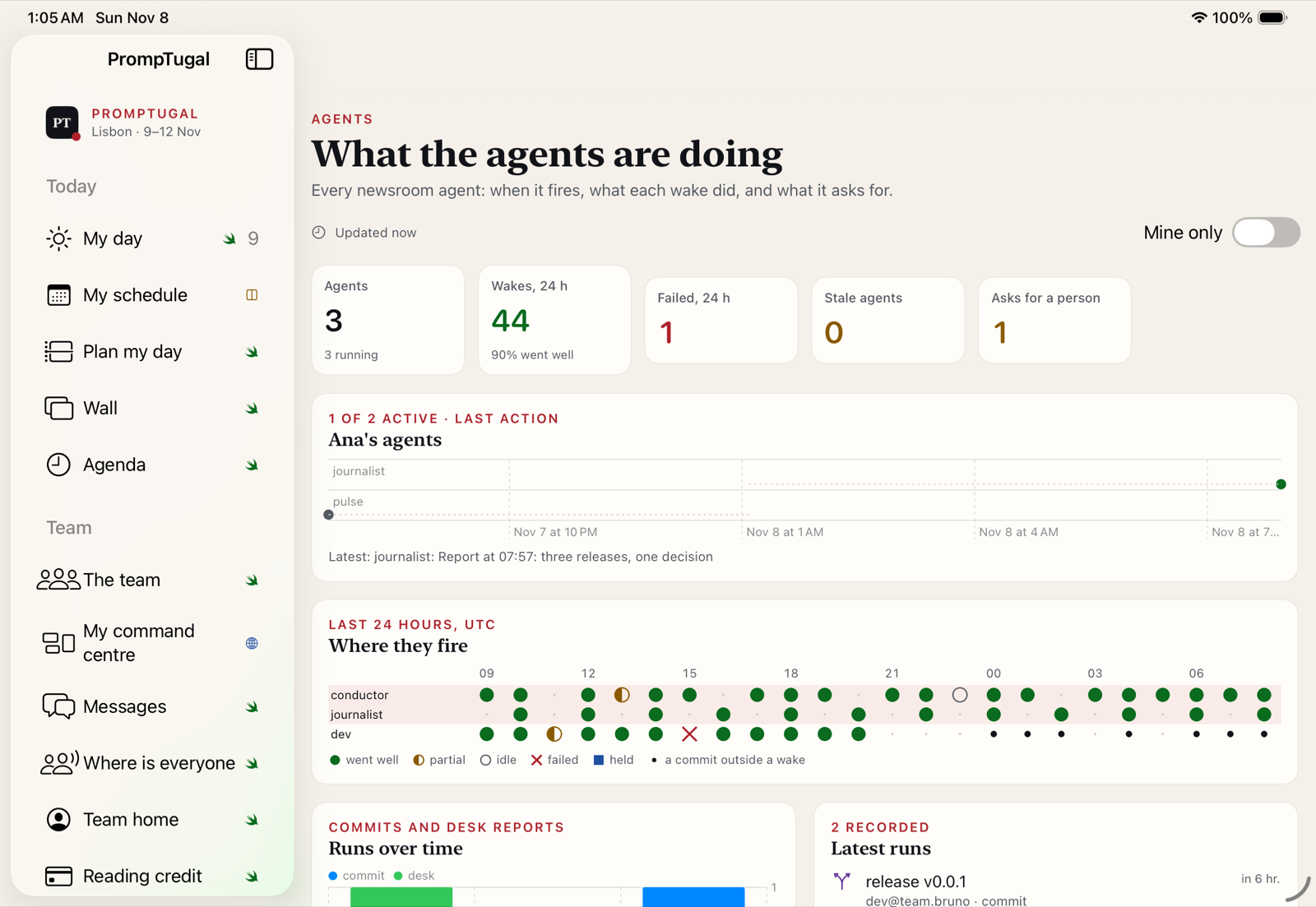
Every newsroom agent: when it fired, how each wake went, and what it is asking a person for. The 24-hour wake grid is redrawn natively from the team site's data.

What the agents are doing on iPad, a screenshot of the app
iPad
What the agents are doing on iPhone, a screenshot of the app
iPhone

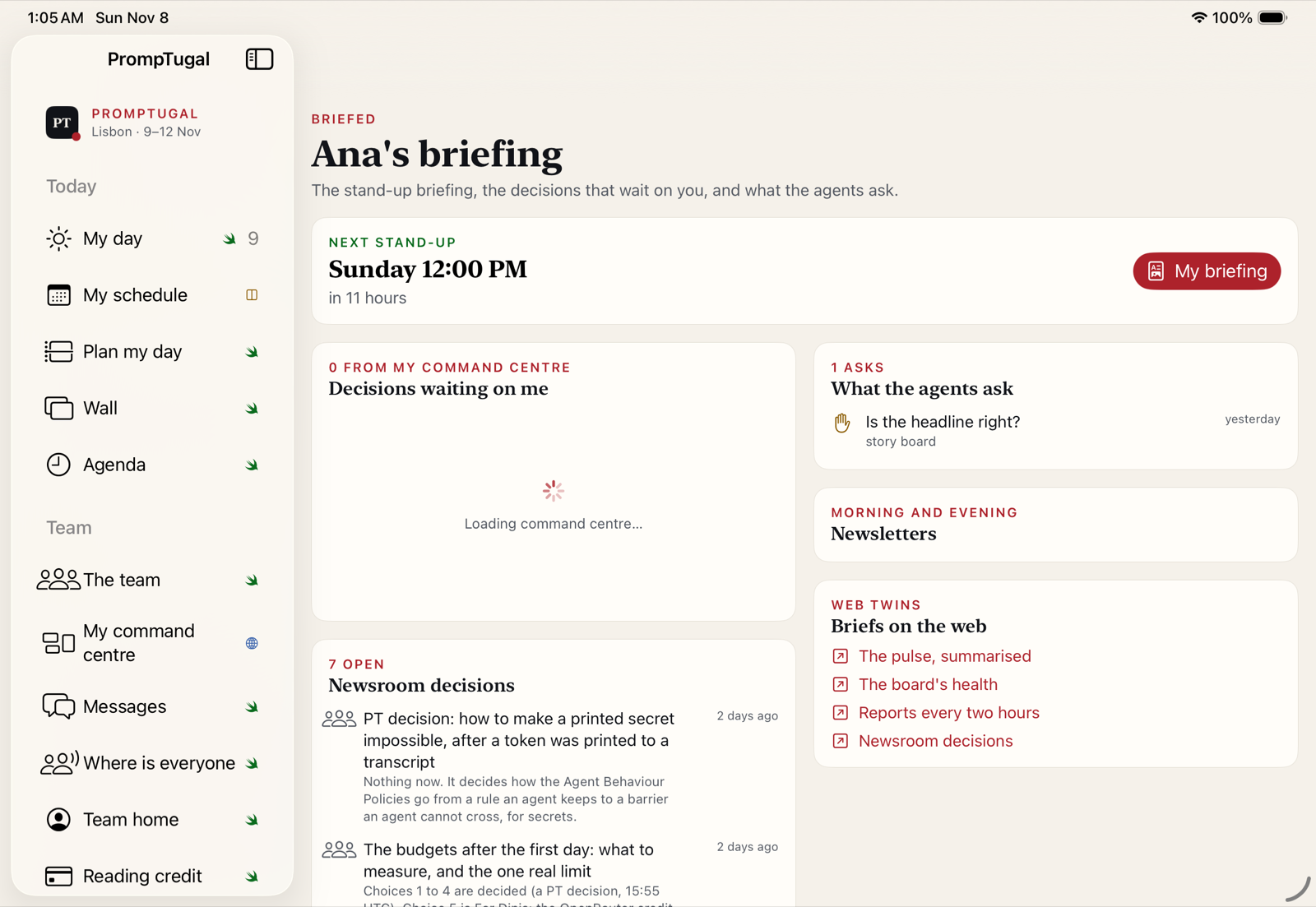
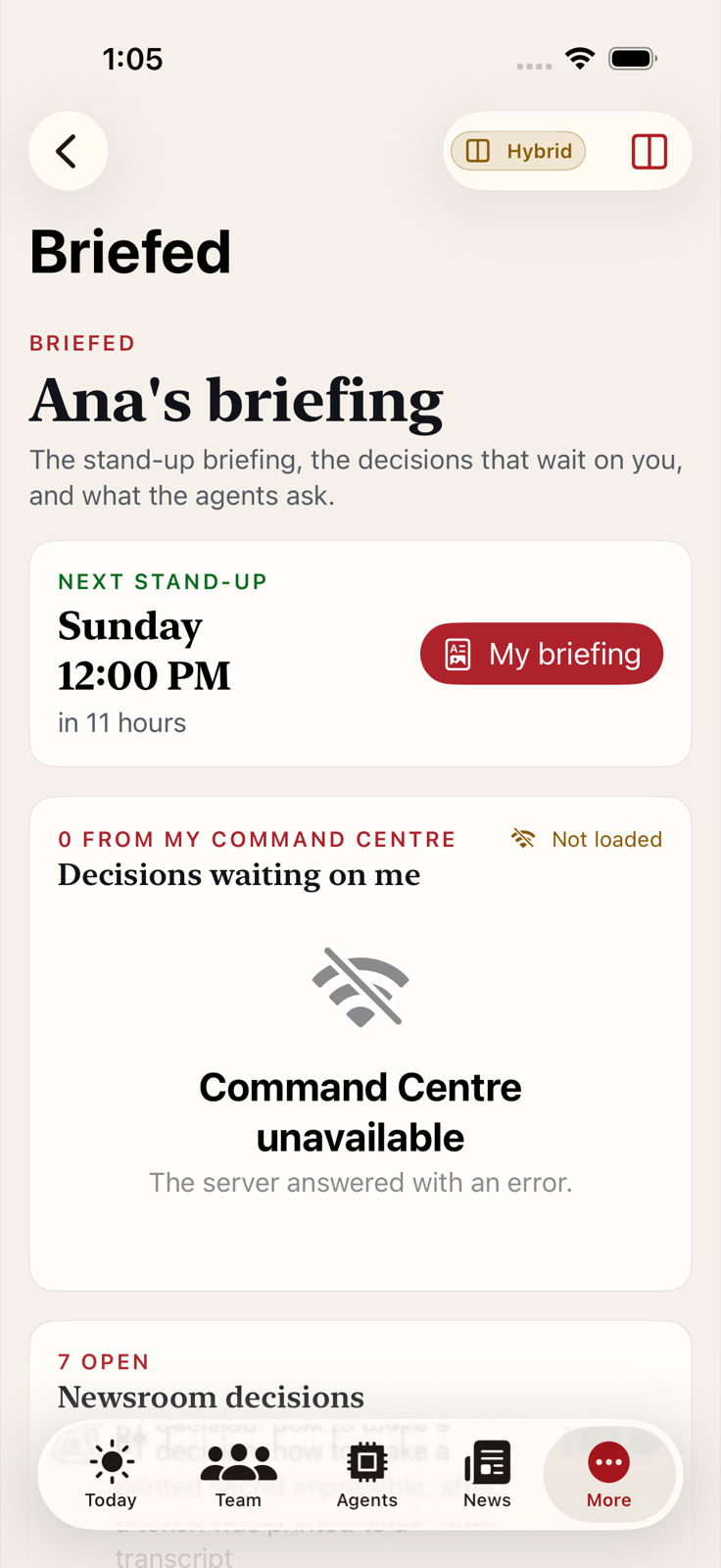
Briefed

Your briefing

The stand-up briefing, the decisions waiting on you, what the agents ask, the newsletters, and links to the web versions of each brief.

In the CI run the command-centre panel could not load and says so. Worth a check on a real device.

Your briefing on iPad, a screenshot of the app
iPad
Your briefing on iPhone, a screenshot of the app
iPhone

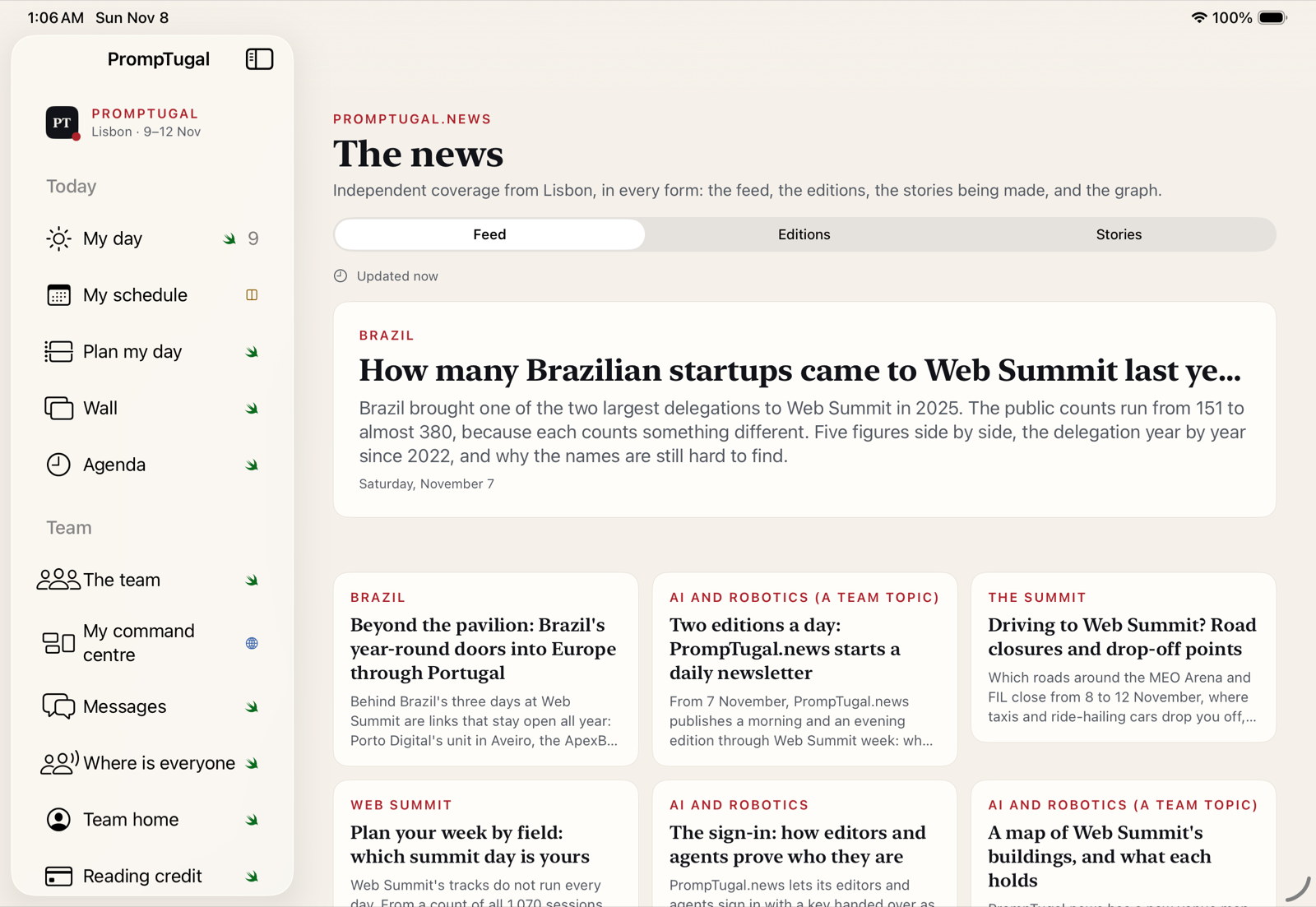
News

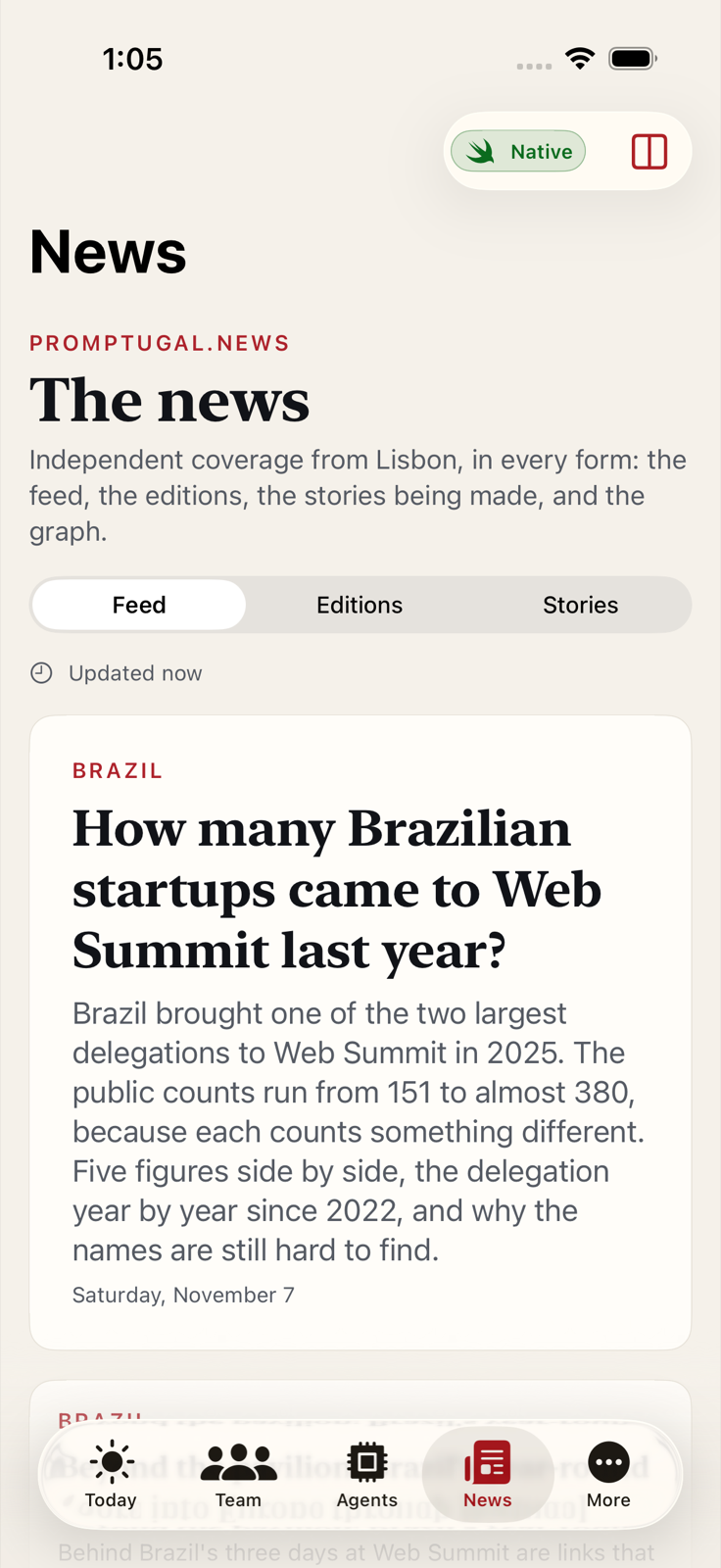
The news, in every form

PrompTugal.news as a native reader: the feed, the morning and evening editions, and the stories being made.

The news, in every form on iPad, a screenshot of the app
iPad
The news, in every form on iPhone, a screenshot of the app
iPhone

Newsroom

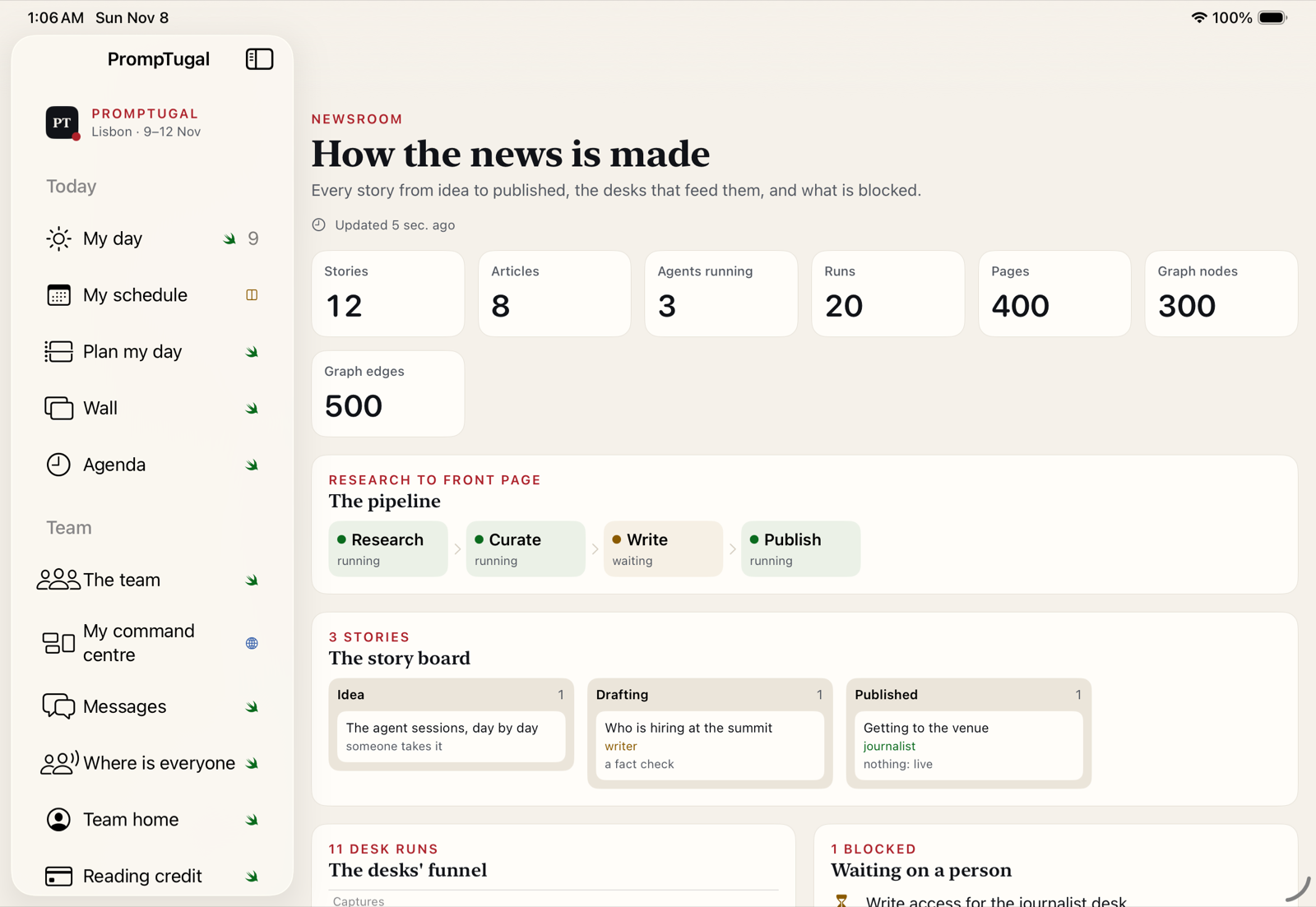
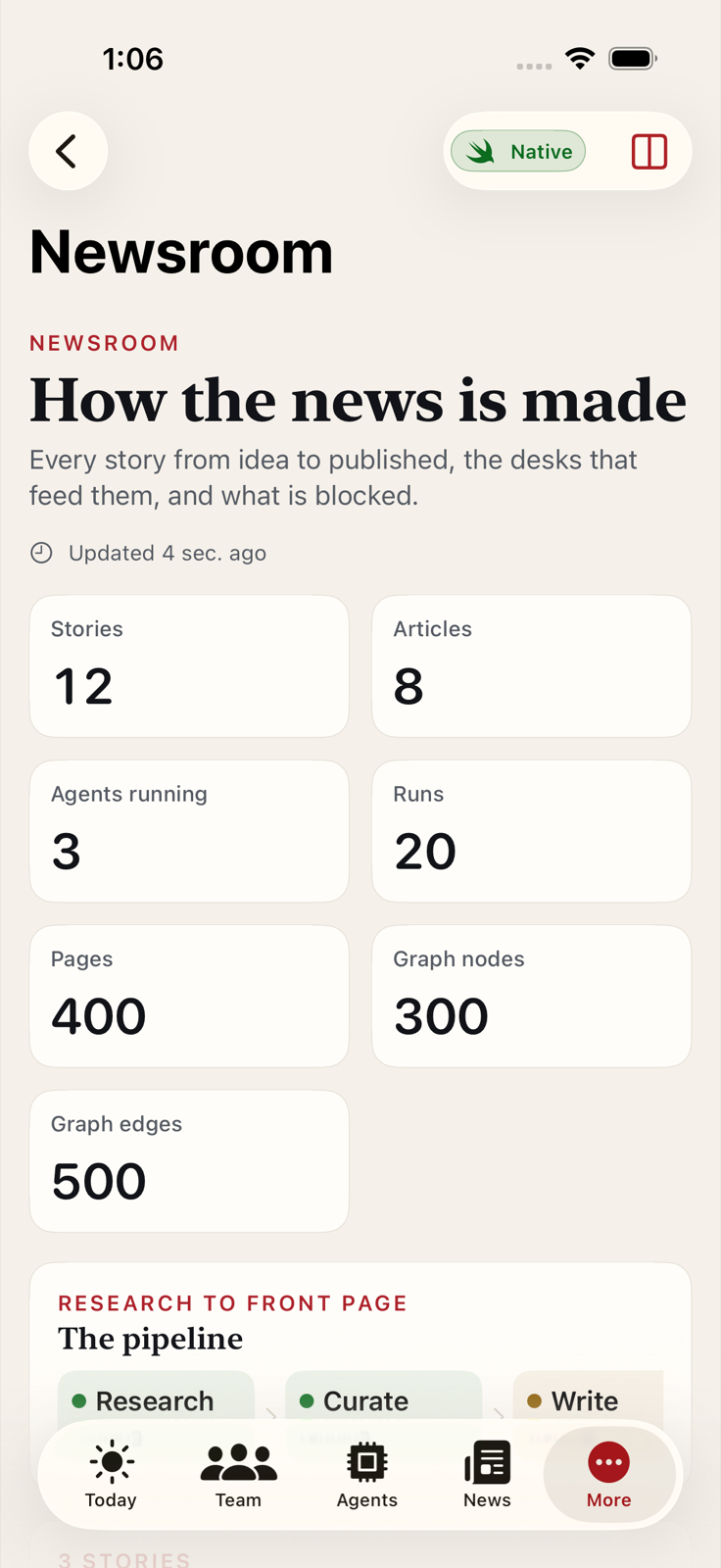
How the news is made

Every story from idea to published, the desks that feed them, the research-to-front-page pipeline, and what is blocked on a person.

How the news is made on iPad, a screenshot of the app
iPad
How the news is made on iPhone, a screenshot of the app
iPhone

Graph

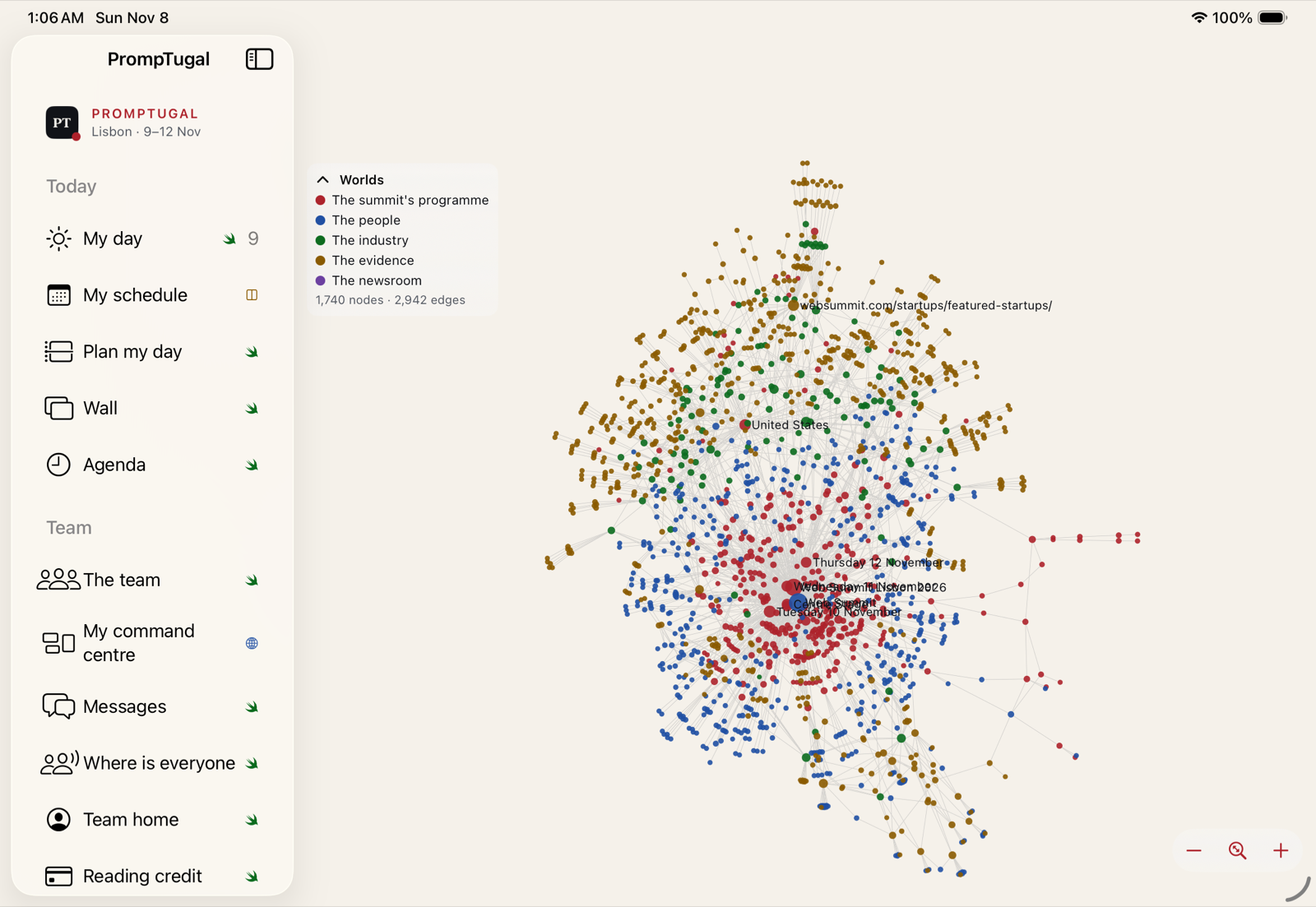
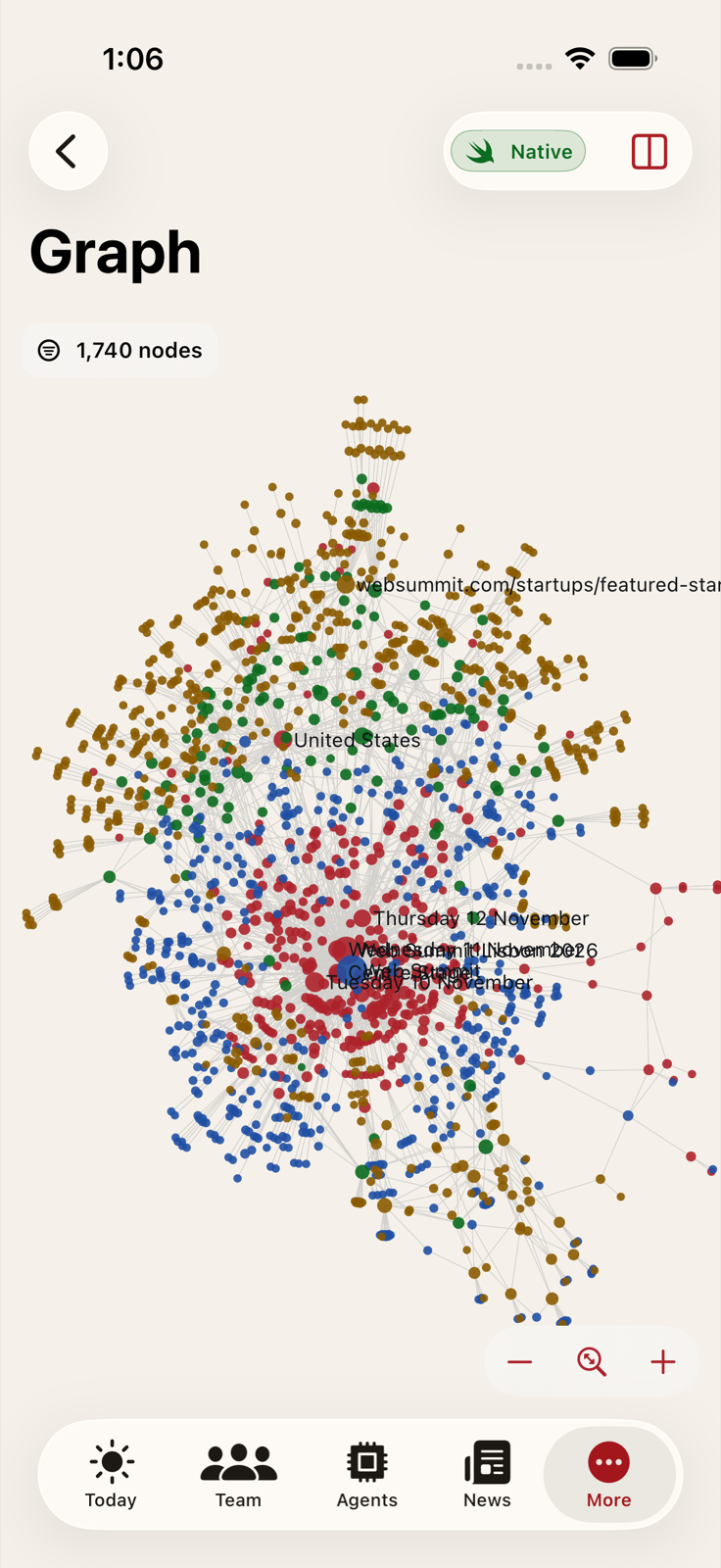
The whole graph, drawn on the device

The newsroom's knowledge graph in five worlds: the summit programme, the people, the industry, the evidence and the newsroom. About 1,700 nodes and 2,900 edges, with zoom.

The screenshots caught a real bug here: the graph showed "unavailable" on real data until its decoding was fixed.

The whole graph, drawn on the device on iPad, a screenshot of the app
iPad
The whole graph, drawn on the device on iPhone, a screenshot of the app
iPhone

Schedule

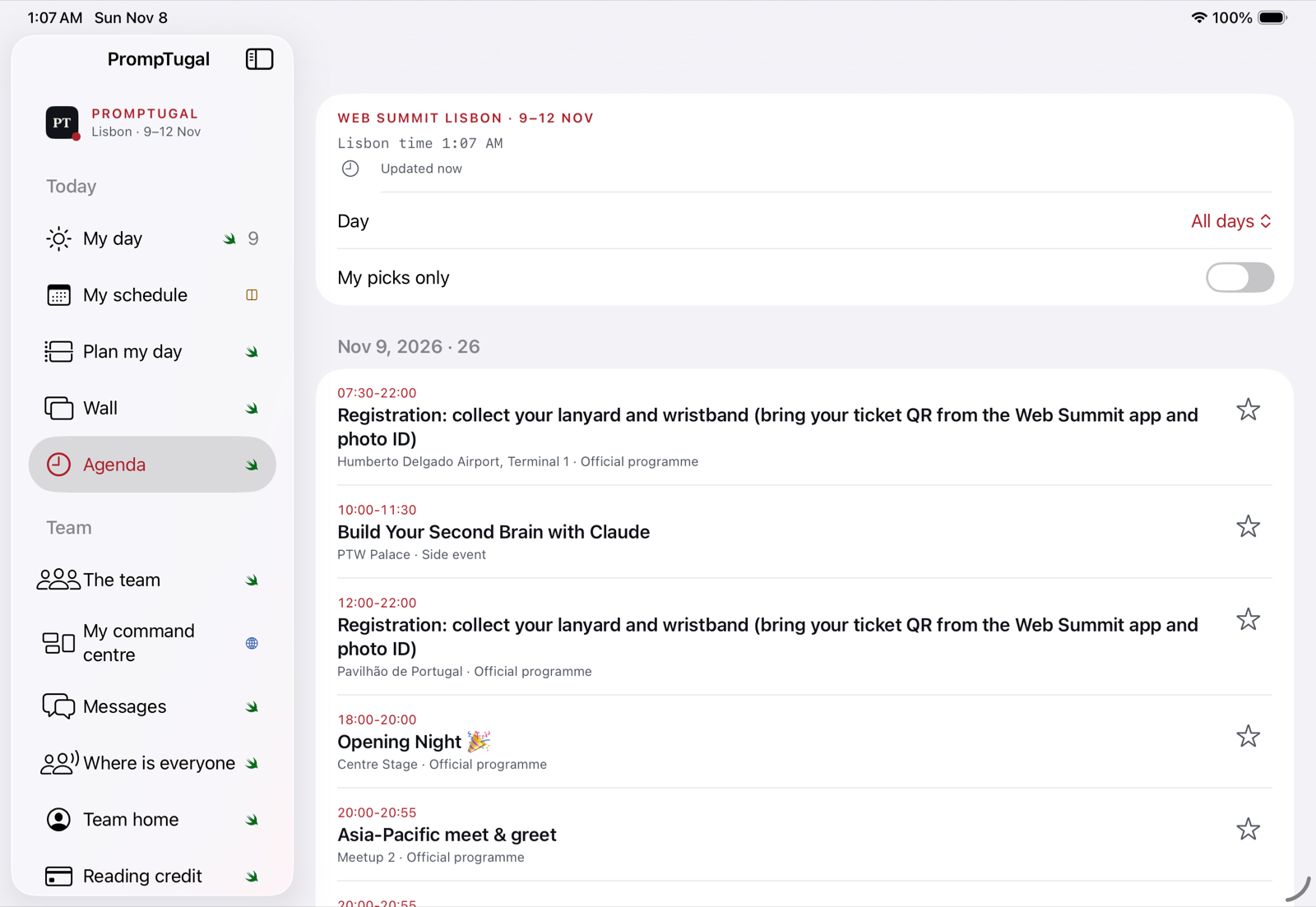
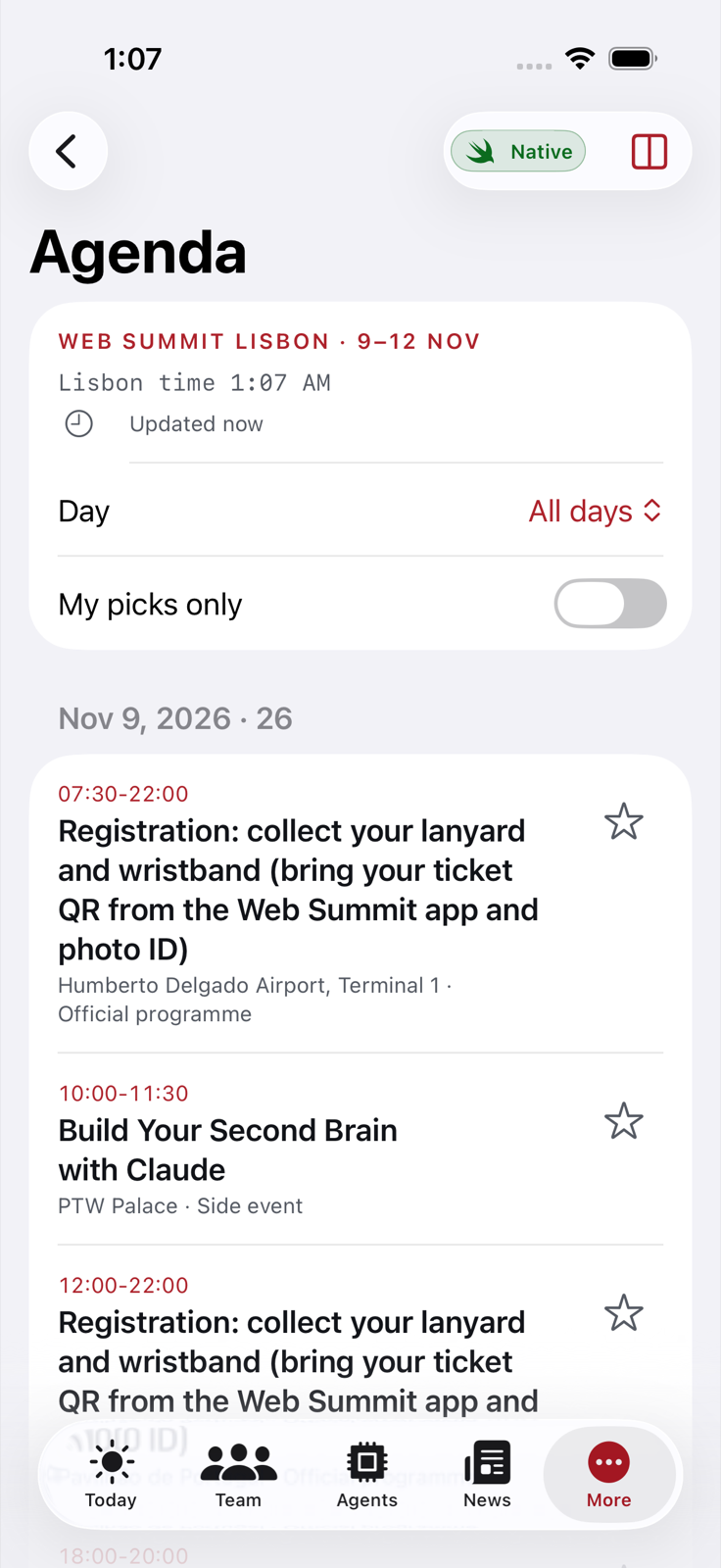
The agenda

Every session in Lisbon time, by day, with a star to add it to the schedule you share with promptugal.news, and a filter for your picks only.

The screenshot tests found this screen too slow for accessibility with the full agenda. It was rebuilt overnight: one element per row for VoiceOver, filtering done once per change.

The agenda on iPad, a screenshot of the app
iPad
The agenda on iPhone, a screenshot of the app
iPhone

Observability

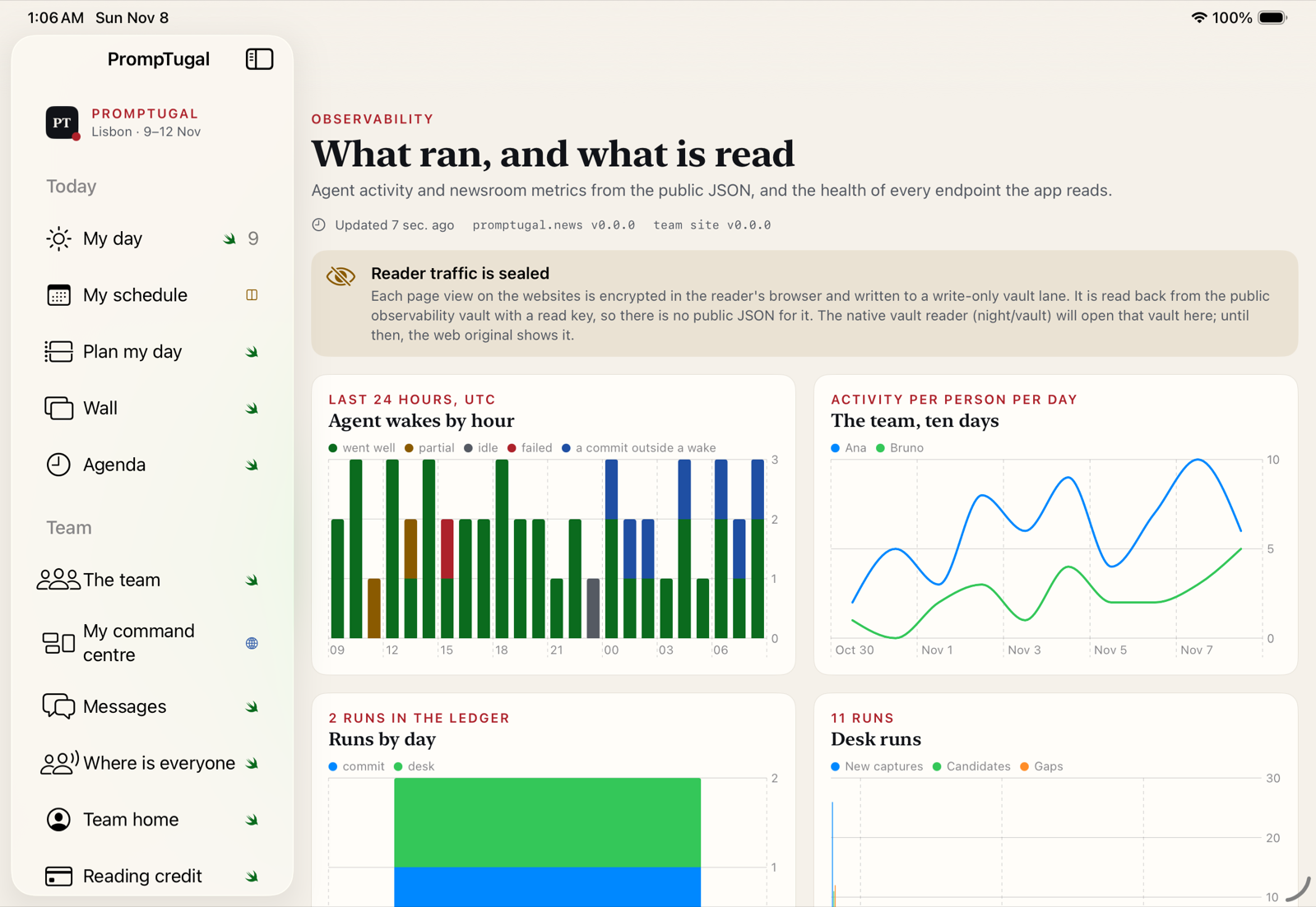
What ran, and what is read

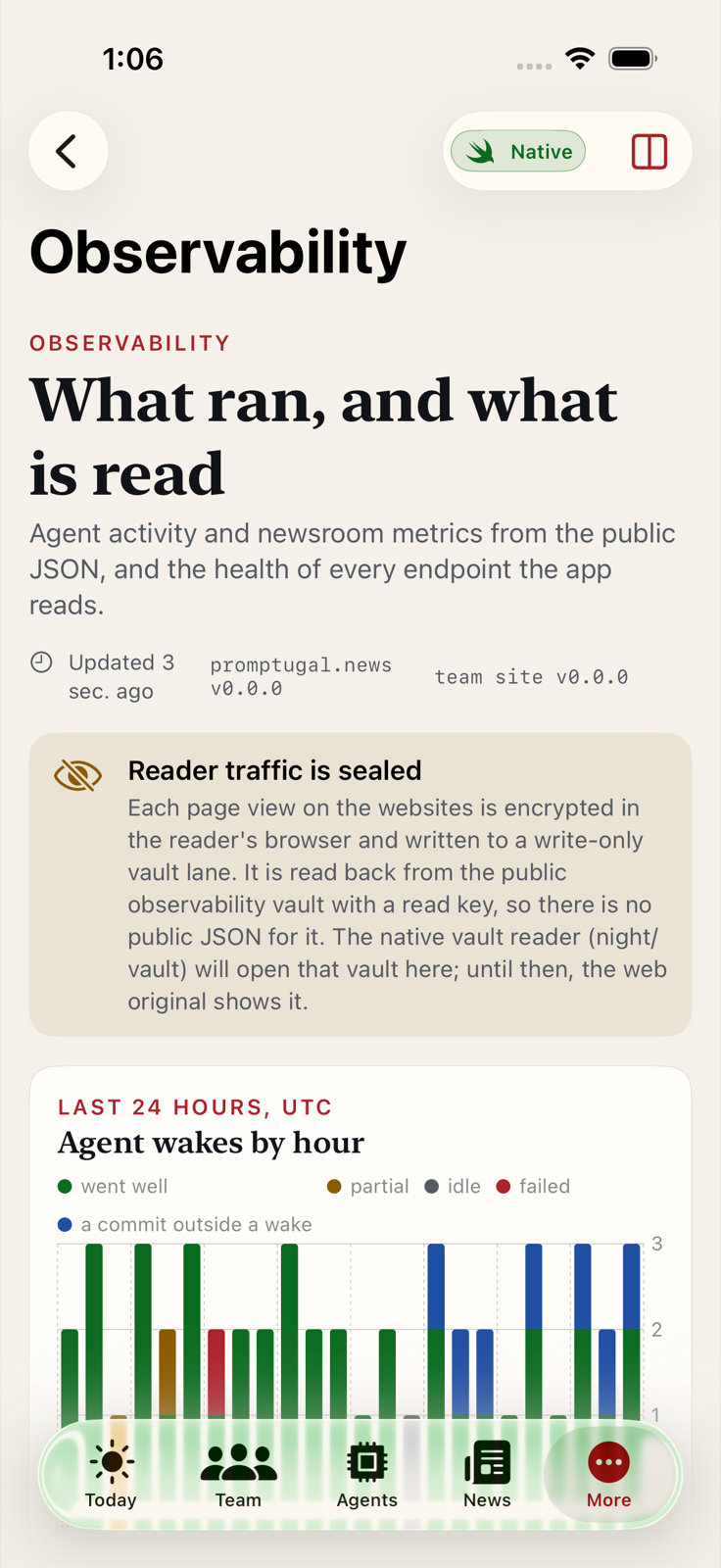
Agent wakes by hour, activity per person, runs by day and desk runs, drawn with Swift Charts from the public JSON, plus the health of every endpoint the app reads.

Reader traffic is sealed in a write-only vault lane. The screen says so.

What ran, and what is read on iPad, a screenshot of the app
iPad
What ran, and what is read on iPhone, a screenshot of the app
iPhone

Vault

Your vault on the phone

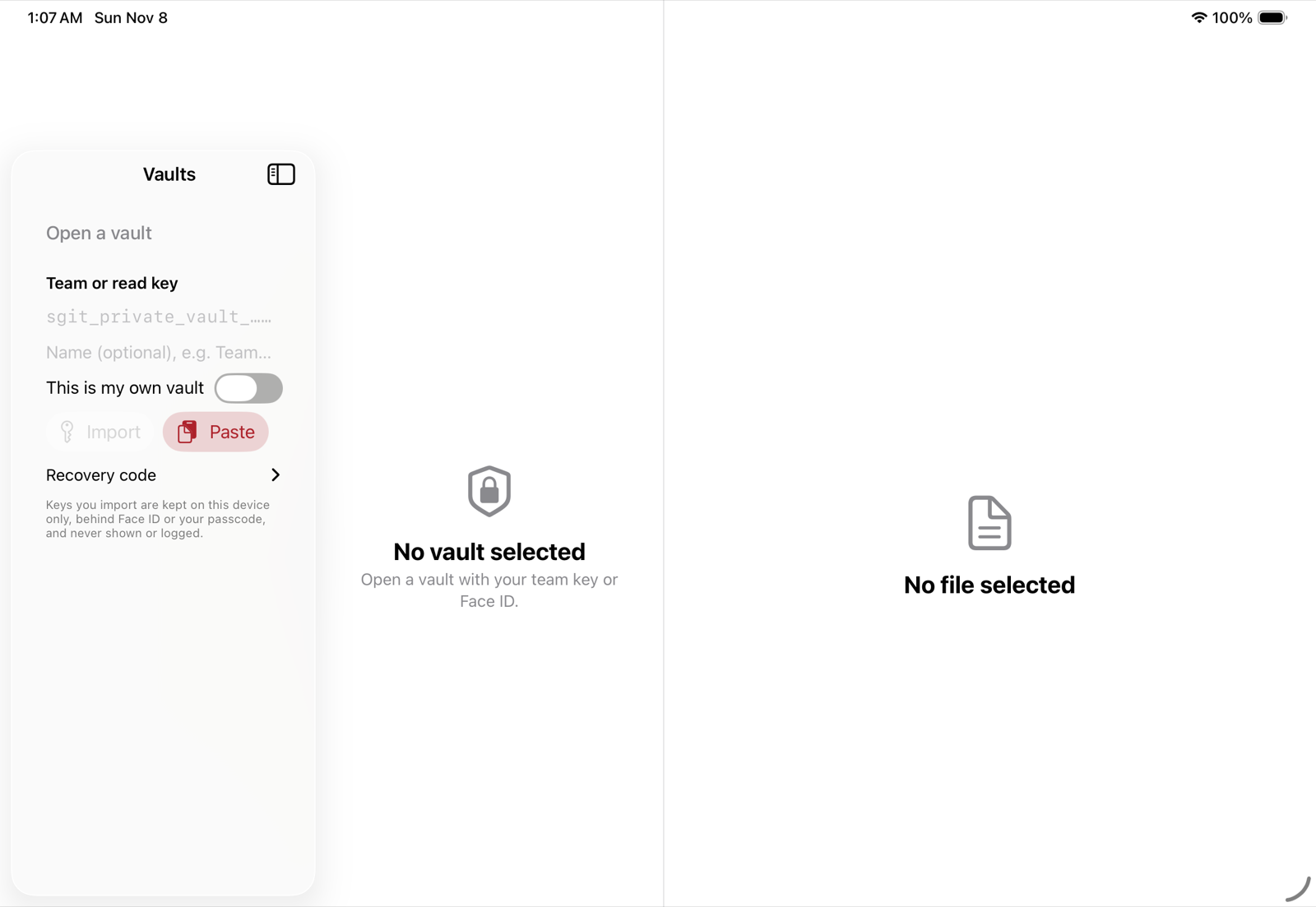
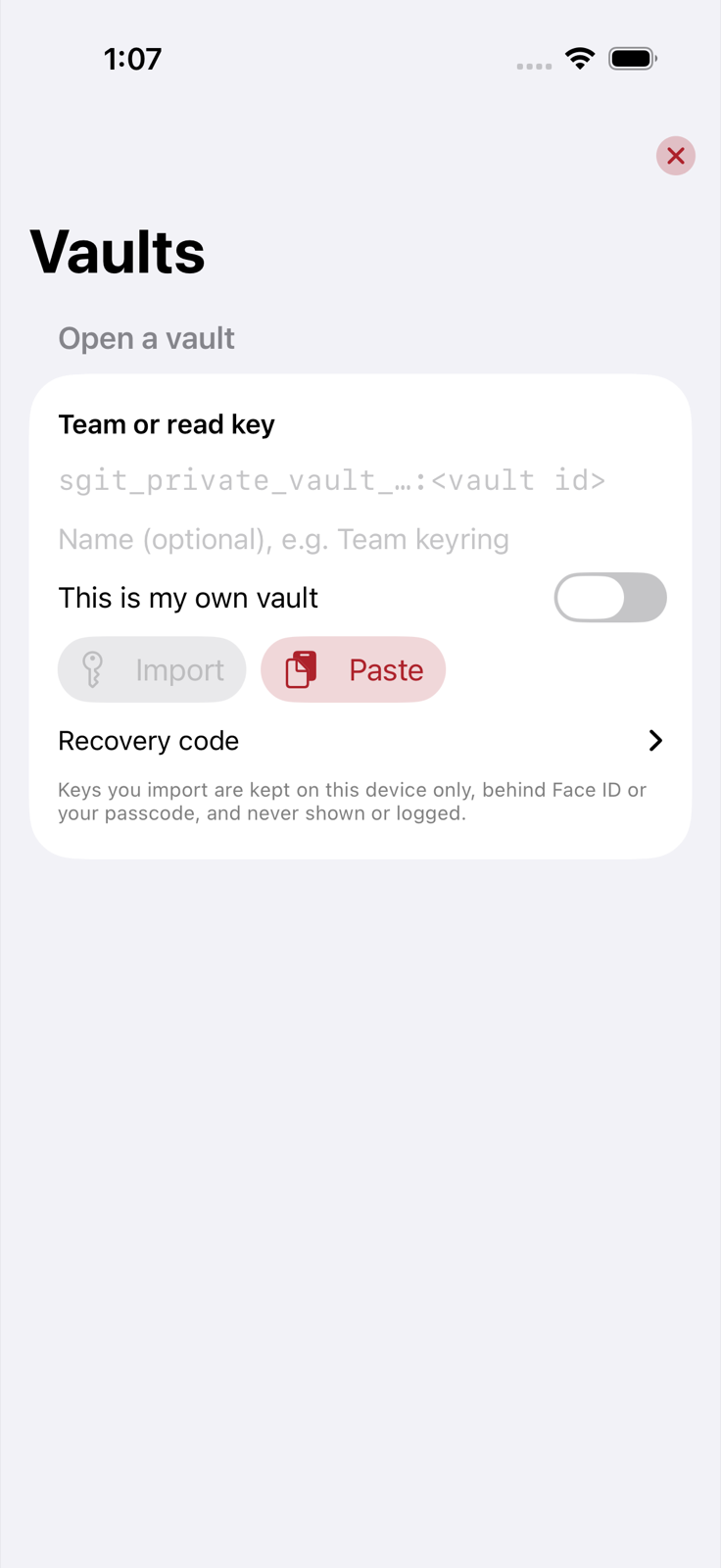
Paste or scan a team key, or use a recovery code. Keys stay on the device, in the Keychain behind Face ID, and are never shown or logged. The Swift reader and writer are proven against vaults written by sgit 0.27, our encrypted-vault tool.

Your vault on the phone on iPad, a screenshot of the app
iPad
Your vault on the phone on iPhone, a screenshot of the app
iPhone

Debug

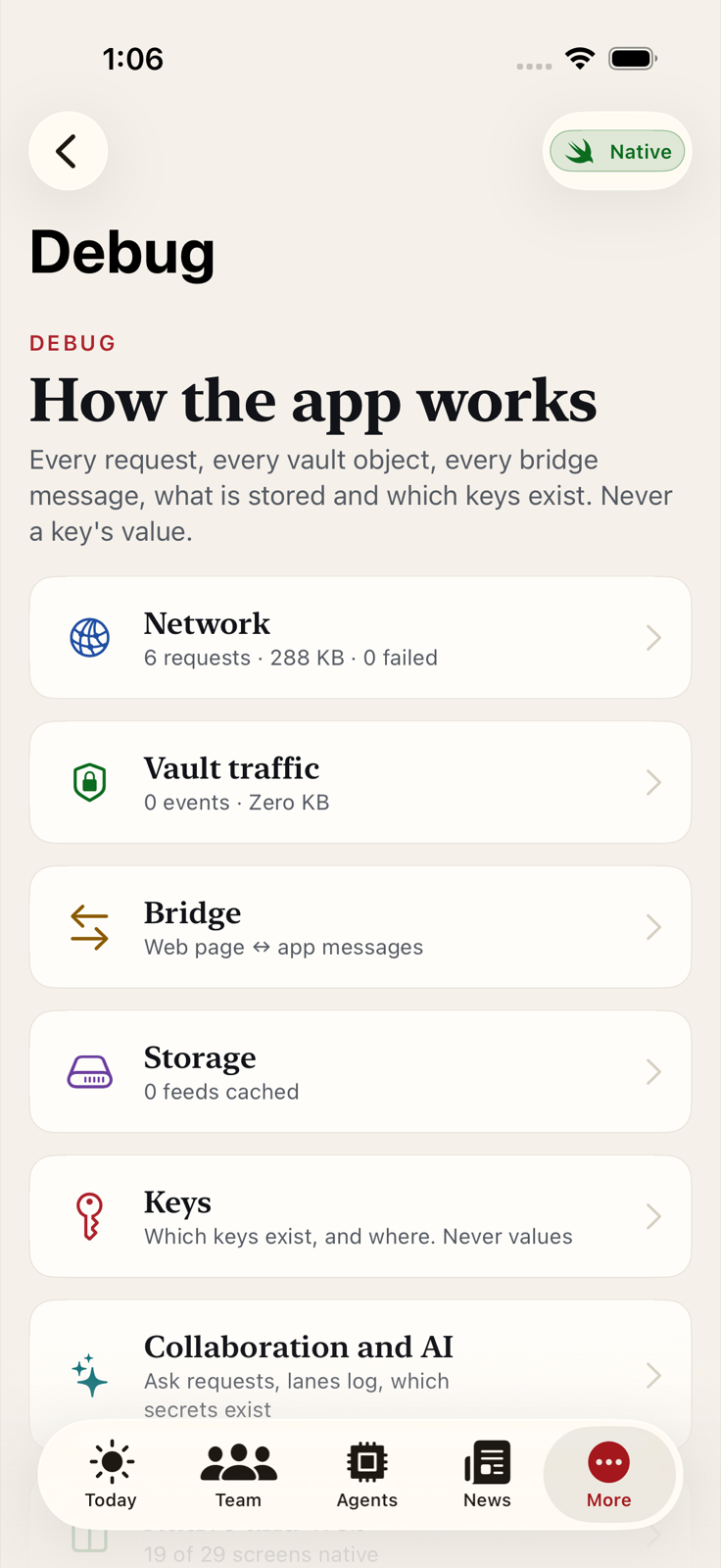
How the app works

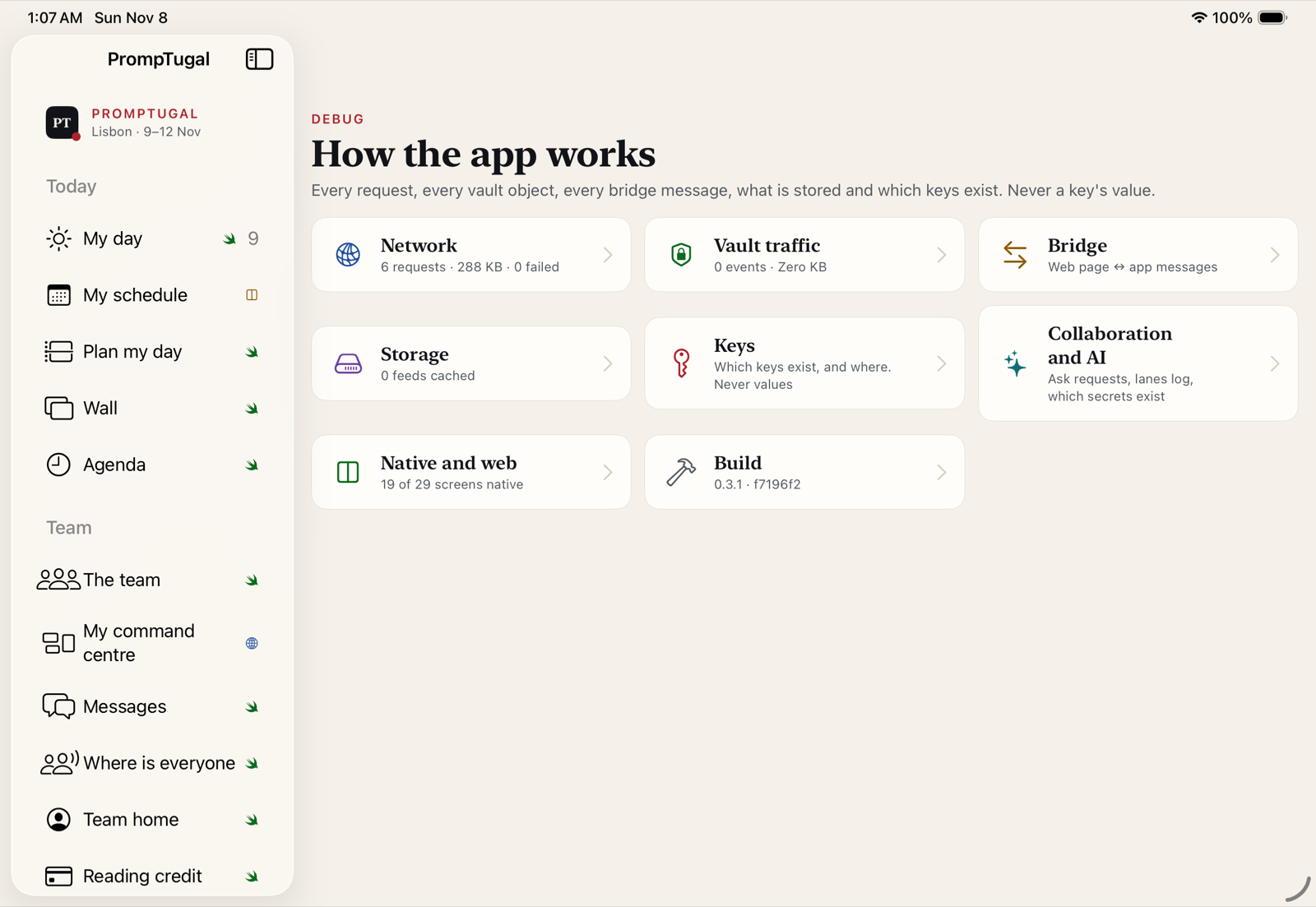
Every request, every vault object and its decryption steps, every bridge message, what is stored, and which keys exist. Never a key's value. "Native and web" counts how many screens are native.

How the app works on iPad, a screenshot of the app
iPad
How the app works on iPhone, a screenshot of the app
iPhone

Settings

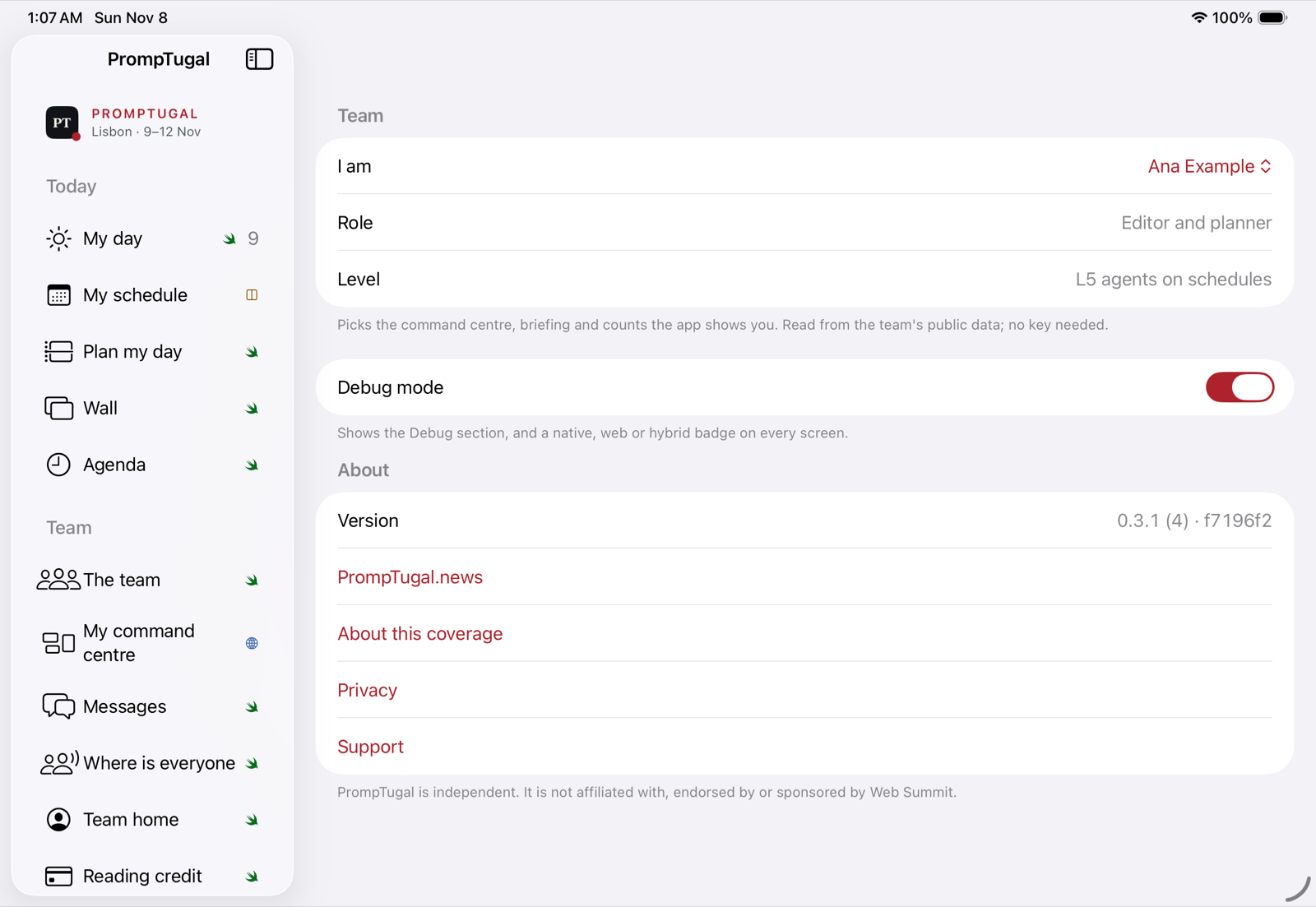
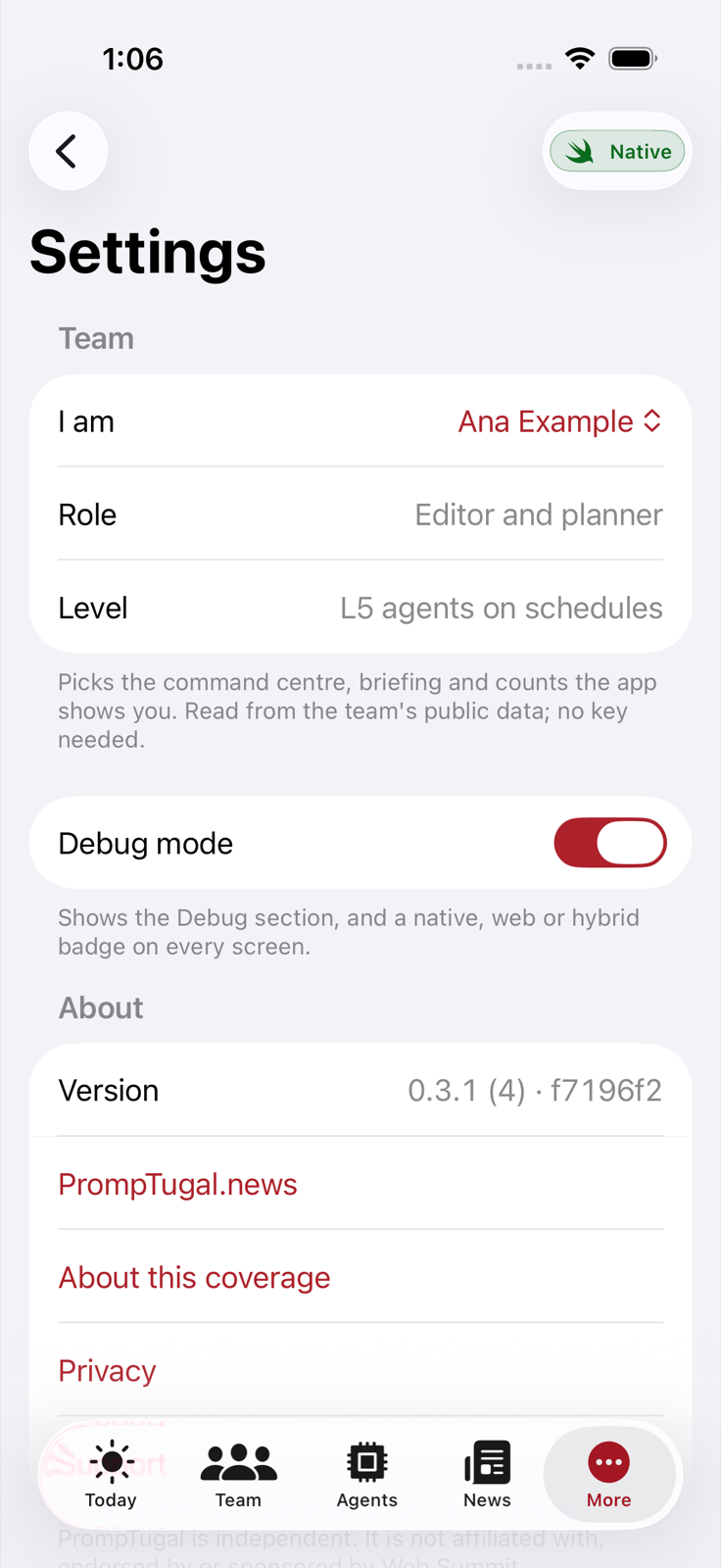
Settings

Who you are on the team, which picks the command centre, briefing and counts the app shows you. Debug mode, which adds a native, web or hybrid badge to every screen. The version and build.

Settings on iPad, a screenshot of the app
iPad
Settings on iPhone, a screenshot of the app
iPhone

Today

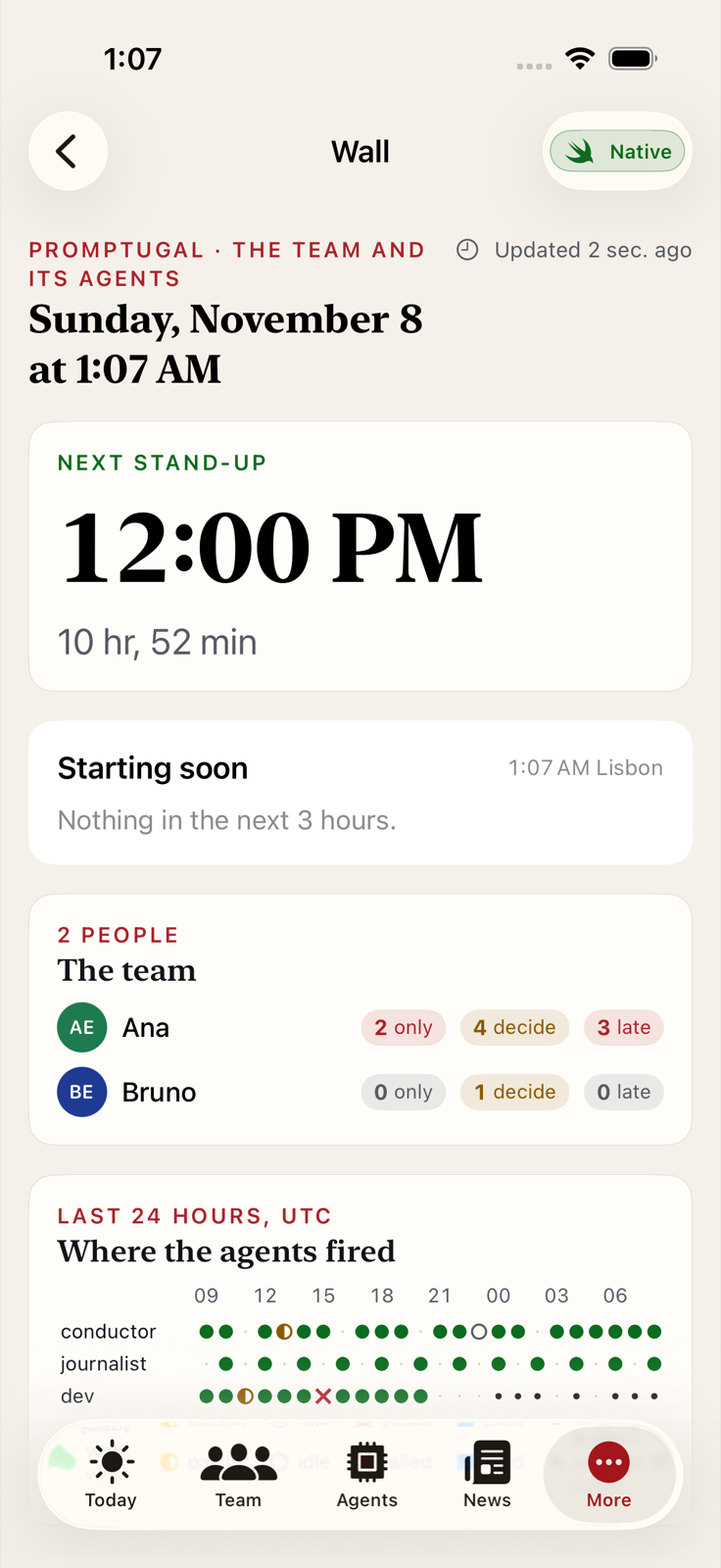
The Wall

The team, where the agents fired in the last 24 hours, the pipeline, the newsroom's latest runs and the next stand-up as a countdown, for an iPad on a stand at the event. It refreshes itself and says when it is offline.

The Wall on iPad, a screenshot of the app
iPad
The Wall on iPhone, a screenshot of the app
iPhone

Built, not in the screenshots

Also in the app

  • One schedule with promptugal.news. Tested in a real browser against the live site: a pick made in the app lights the website’s own “Add to my day” button, and website picks come back to the app.
  • Plan my day, reminders, a widget and Siri. A planner proposes a day around your picks and stand-ups. Reminders fire 10 minutes before by default. “What’s next in PrompTugal” works from Siri.
  • Ask. An OpenRouter chat that can look up the agenda, your picks, the team and the agents, with your key in the Keychain. On iPad it opens beside any screen.
  • Messages and Where is everyone. Encrypted notes through vault lanes, and teammates’ shared plans once they share a read key.
  • Reading credit. The website’s meter, topped up through Apple’s in-app purchase.

The record

Proven, and not yet

  • Proven: every job green on dev, meaning the app build, the vault package, and 124 unit tests on iPhone and on iPad.
  • Proven: sgit reads back and verifies vaults written by the Swift code, signatures included.
  • Proven: the schedule and meter bridge, against the live website in a real browser.
  • Proven: all 13 screens render on both devices, as shown above.
  • Not yet: anything on a physical device; a live push to the vault server; passkey sign-in; messages to a teammate.

What the team does next

  1. Get the first internal TestFlight build out, following the release setup (about 45 minutes).
  2. Install from Xcode on an iPhone and an iPad, and run the ten checks in the morning summary.
  3. Serve the passkey domain file on promptugal.news, issue vault access tokens, and create the two in-app purchases.

How it was made

Seven sessions and a conductor

Each session owned a part of the app: platform and CI, the vault, team features, design and native screens, collaboration and AI, release, and this site. They worked on their own branches against a shared set of contracts, and a conductor merged their work into dev about every 30 minutes once CI was green. The night is written up checkpoint by checkpoint in the build log, and each session’s own account is in the overnight brief pack.

The app, like the PrompTugal sites, is powered by RiskMandate, the insurability layer for agentic AI. Its team data, keys and message lanes live in encrypted vaults made with sgit, which the app now reads and writes natively. What makes a team of more than 100 agents workable is RiskMandate’s Agent Behaviour Policies: every agent has a published policy saying what it can reach, what it was asked to do, and the gap between the two. The seven sessions that built the app worked the same way, each inside a written contract of what it owned.

The night cost about $332 in model usage across the eight sessions, plus macOS CI minutes. Runner queues of 20 to 60 minutes were the main constraint.